You may see two students with the same active writing time and the same number of writing sessions. One typed for minutes at a time without stopping. The other typed a few words, stopped to think, and typed again. Writing continuity shows this difference as one number.
Writing continuity is the share of writing-session time that was spent typing. Writing with no stops has a writing continuity of 100%. Writing with many short stops has a lower number.
Writing continuity describes how the typing happened, not how good the writing is. A low number is not bad, and a high number is not good. See the example student reports for what these patterns look like.
A. How writing continuity is calculated
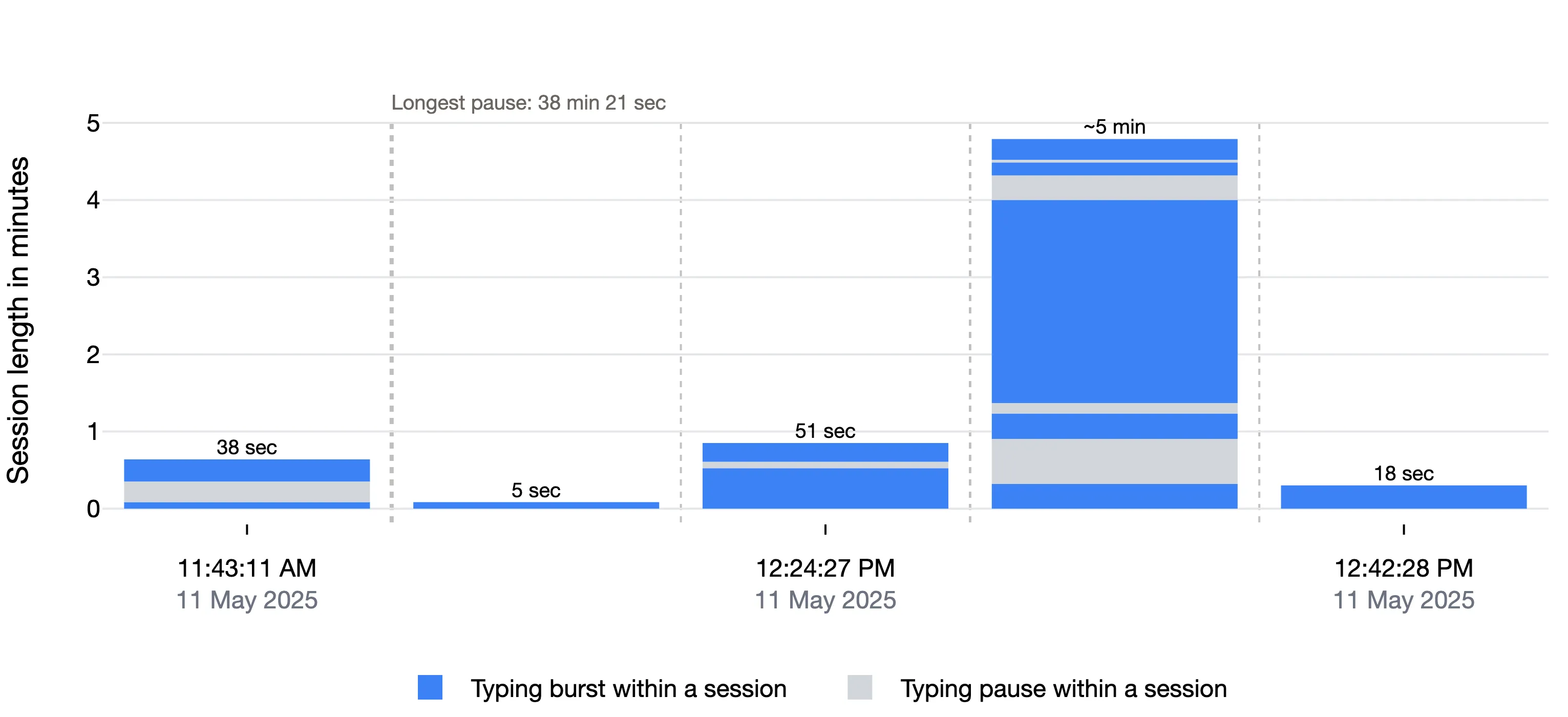
Writing continuity comes from the Writing Sessions chart. Each bar in that chart is one writing session, and each bar has two colors:
- Blue is a typing burst, a stretch of time when the text kept changing.
- Grey is a short typing pause inside the session.
Writing continuity is the blue time divided by the whole session time:
Writing continuity = typing burst time ÷ session time
For example, a 10-minute session with 7 minutes of typing bursts and 3 minutes of short pauses has a writing continuity of 70%.
1. What counts as a short pause
While someone types, the report records the document about every five seconds. When the next change comes later than that, the extra time counts as a short pause. A stop of only a few seconds is too short to see, so it counts as typing.
A pause longer than one minute ends the session. These long pauses are the dashed lines between the bars in Writing Sessions. They are not part of any session, so they do not count toward writing continuity.
2. One number for the whole document
For the whole document, the report adds up the typing bursts in every session and divides by the total length of all sessions. Long sessions count more than short ones. A 20-minute session moves the number more than a 30-second session.
3. The one-minute threshold is a setting
The one-minute threshold comes from the AFK time for considering inactive setting. It is the same threshold used for Active Writing Time. With a longer threshold, longer stops stay inside a session as grey, and writing continuity goes down. When the setting is not one minute, the Writing continuity card shows the setting with the number.
B. Where you see writing continuity
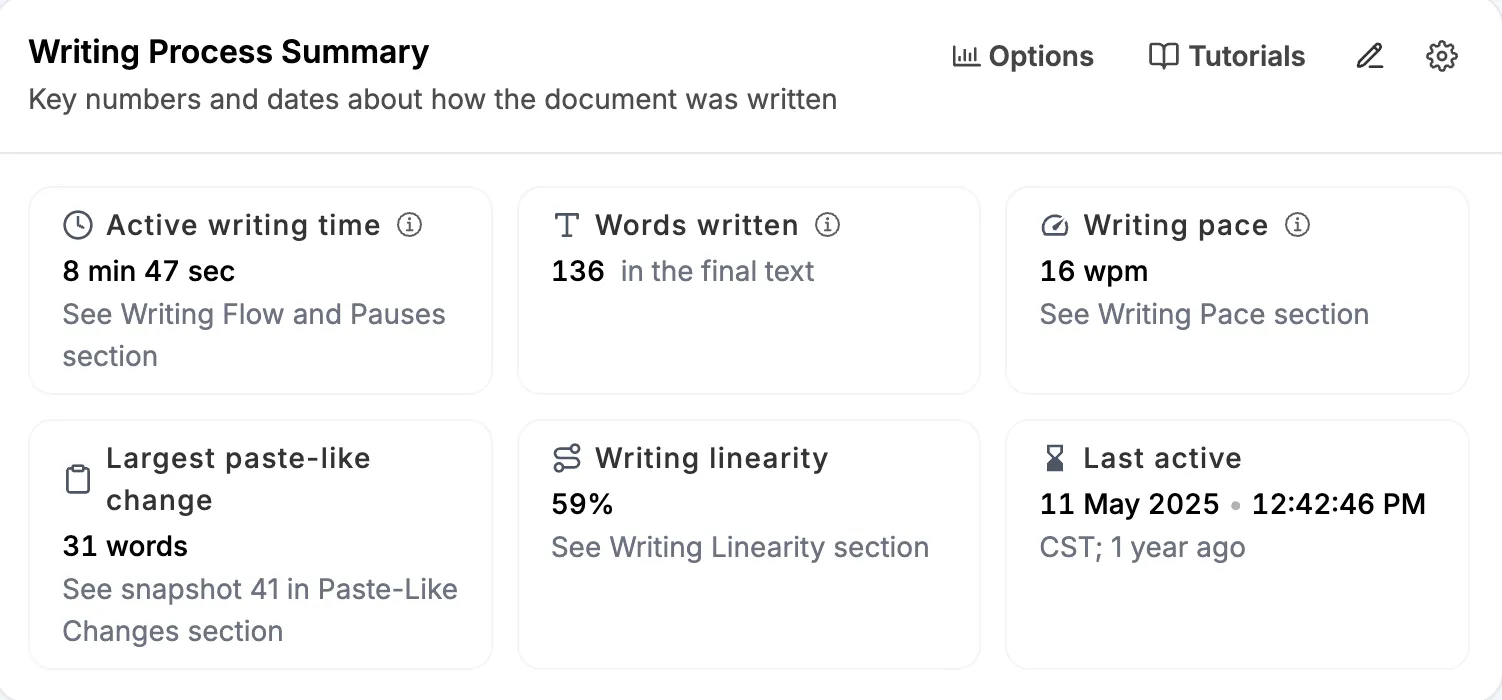
- The Writing continuity card in the Writing Process Summary gives the number for the whole document. Hover over its info icon for a short definition.
- The summary row of Writing Sessions shows the same number.
- In the Writing Sessions chart, hover over a session to see the writing continuity of that session alone.
- The Writing Sessions table view has a Continuity column, with one value for each writing session.
- The Writing Process Dashboard has a Continuity column, so you can sort a whole class by it.
- Coding reports show the same number as Coding continuity.
C. Continuous and intermittent writing
Inside one writing session, you may see two patterns: continuous writing, and intermittent writing, which is typing that stops and starts often.
| Continuous writing session | Intermittent writing session | |
|---|---|---|
| How the bar looks |  Solid blue from top to bottom, or close to it | 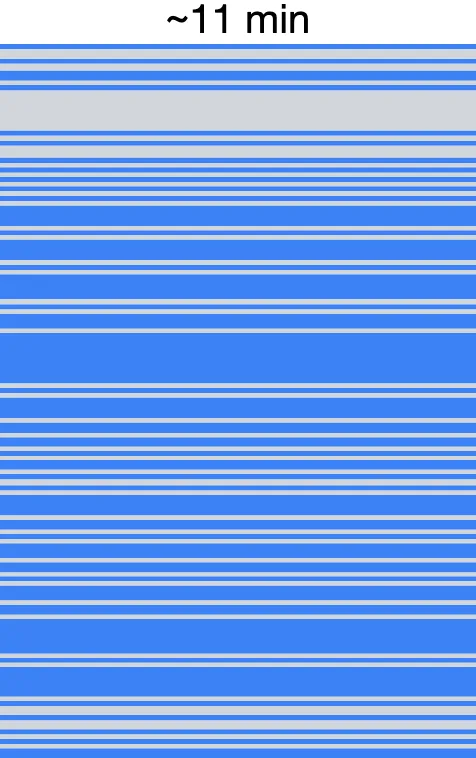 Striped with many thin grey pieces |
| What the writer did | Typed intensely for minutes at a time without a visible stop. | Typed in short bursts and stopped often, for a few seconds at a time. |
| Writing continuity | 100% | 30% |
| Examples of when it happens | 1) Writing during an exam 2) Power free writing 3) Transcribing an essay that is already written | 1) Revising a draft 2) Working on something that takes a lot of thought |
Many sessions are somewhere in between. The examples below show both patterns in real reports.
D. Example student reports
Each figure below is the Writing Sessions chart from one report. The more grey inside the bars, the lower the writing continuity. The examples use the two patterns described in Continuous and intermittent writing.
1. Continuous writing in one sitting
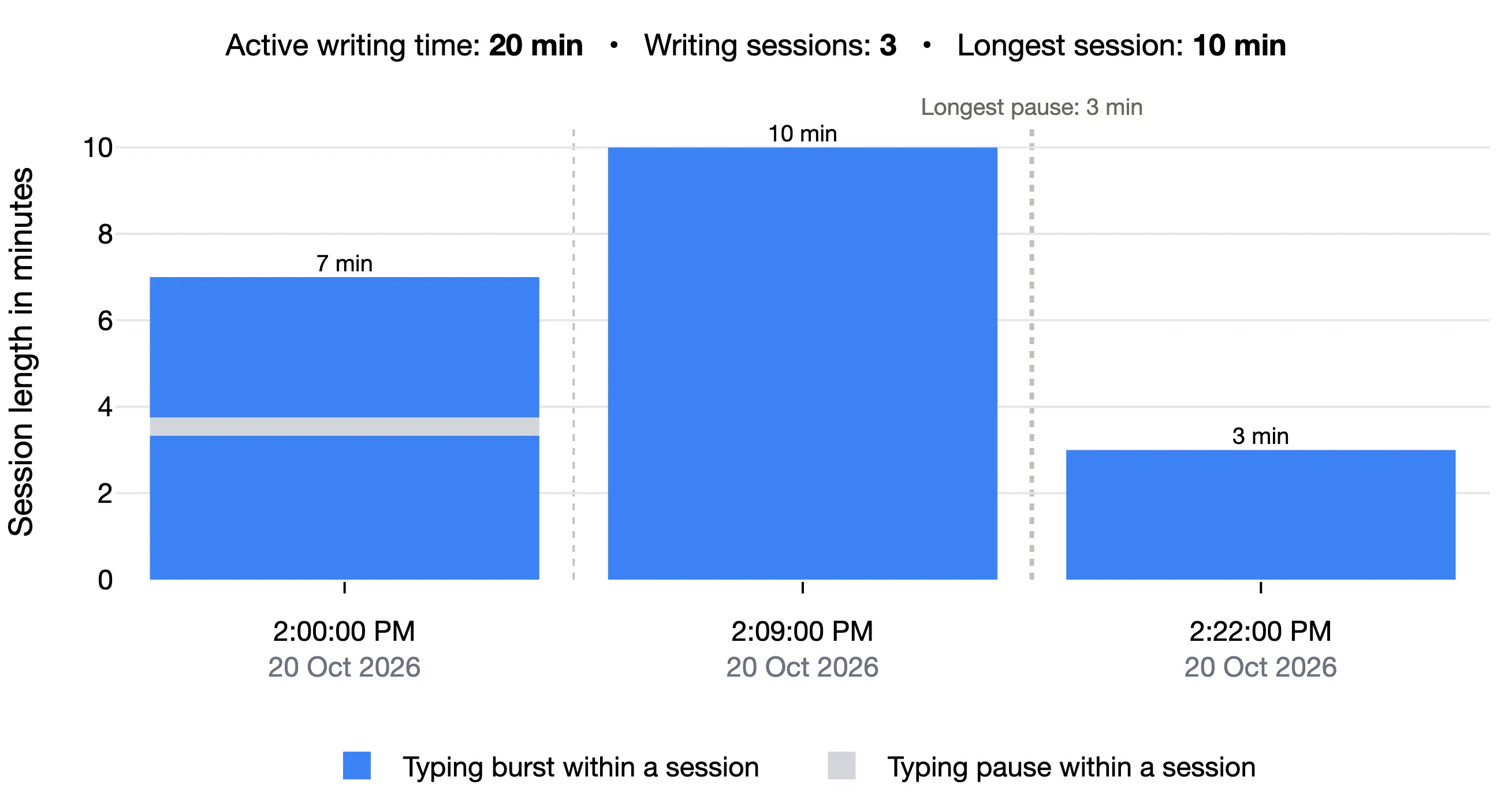
Three sessions in one afternoon, 25 minutes from start to finish. The bars are almost solid blue. The first session has one short stop. The second is 10 minutes of typing without a single stop of even a few seconds.
This is continuous writing at its most extreme. Typing this long without stopping is unusual when someone is composing. It can mean a fast, confident writer. It can also mean the writer was typing from notes, a paper draft, or another source. Check Writing Pace and Copy-Paste Activity before drawing a conclusion.
2. Intermittent writing: thinking between short bursts
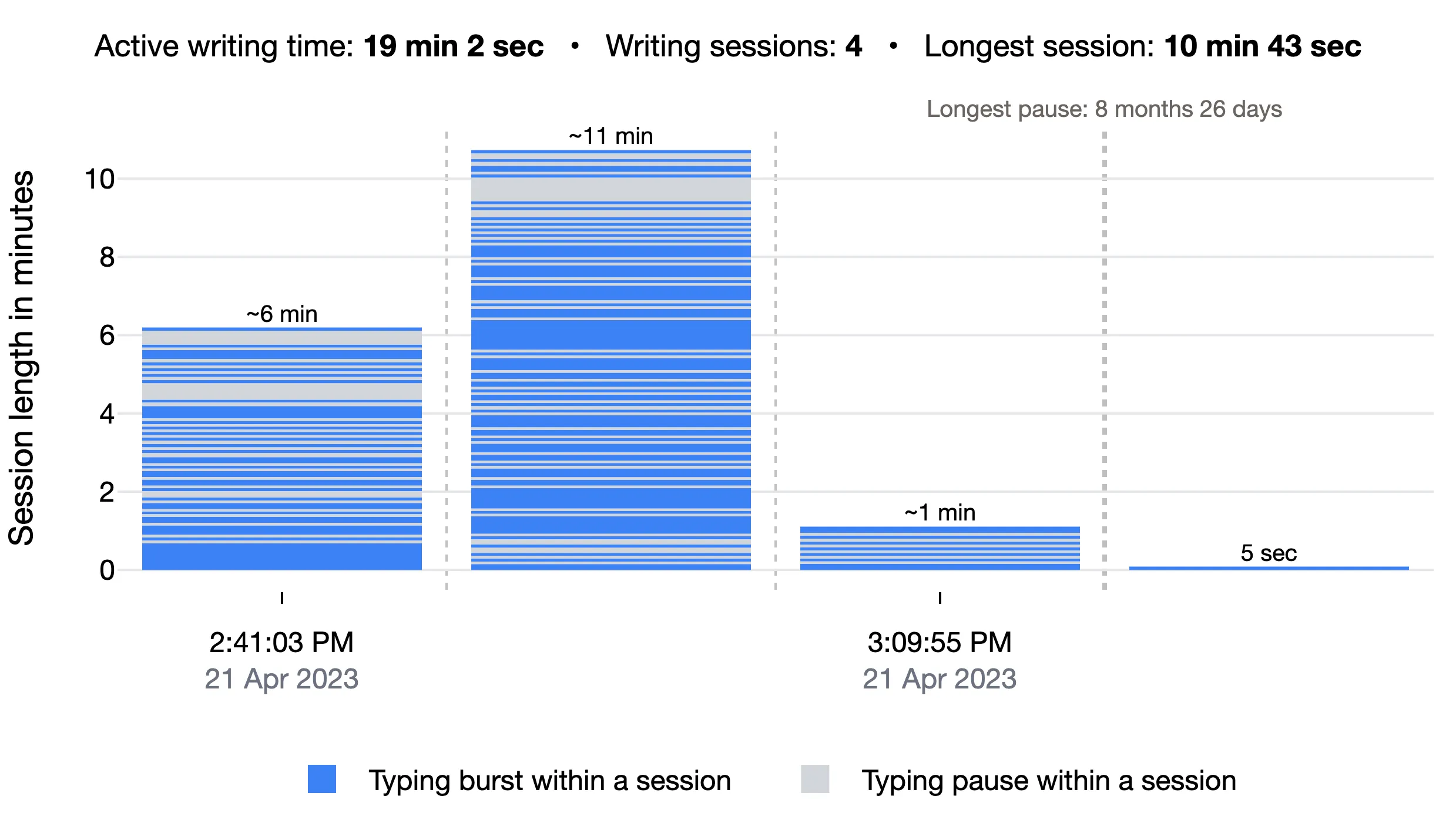
Every bar is striped from top to bottom with thin blue and grey pieces. More than a third of each session is short stops. The writer typed a few words, stopped for a few seconds, typed again, and kept going like that the whole time.
This is intermittent writing. Each stop is short, but there are many of them. They are often where the thinking happens: the writer works out the next phrase, rereads, or changes their mind before typing. Pauses like these are typical of a writer composing their own ideas.
The last bar is a single 5 sec session, more than 8 months later. Someone opened the document and made one small change long after the writing was done.
3. Continuous sessions first, then intermittent sessions
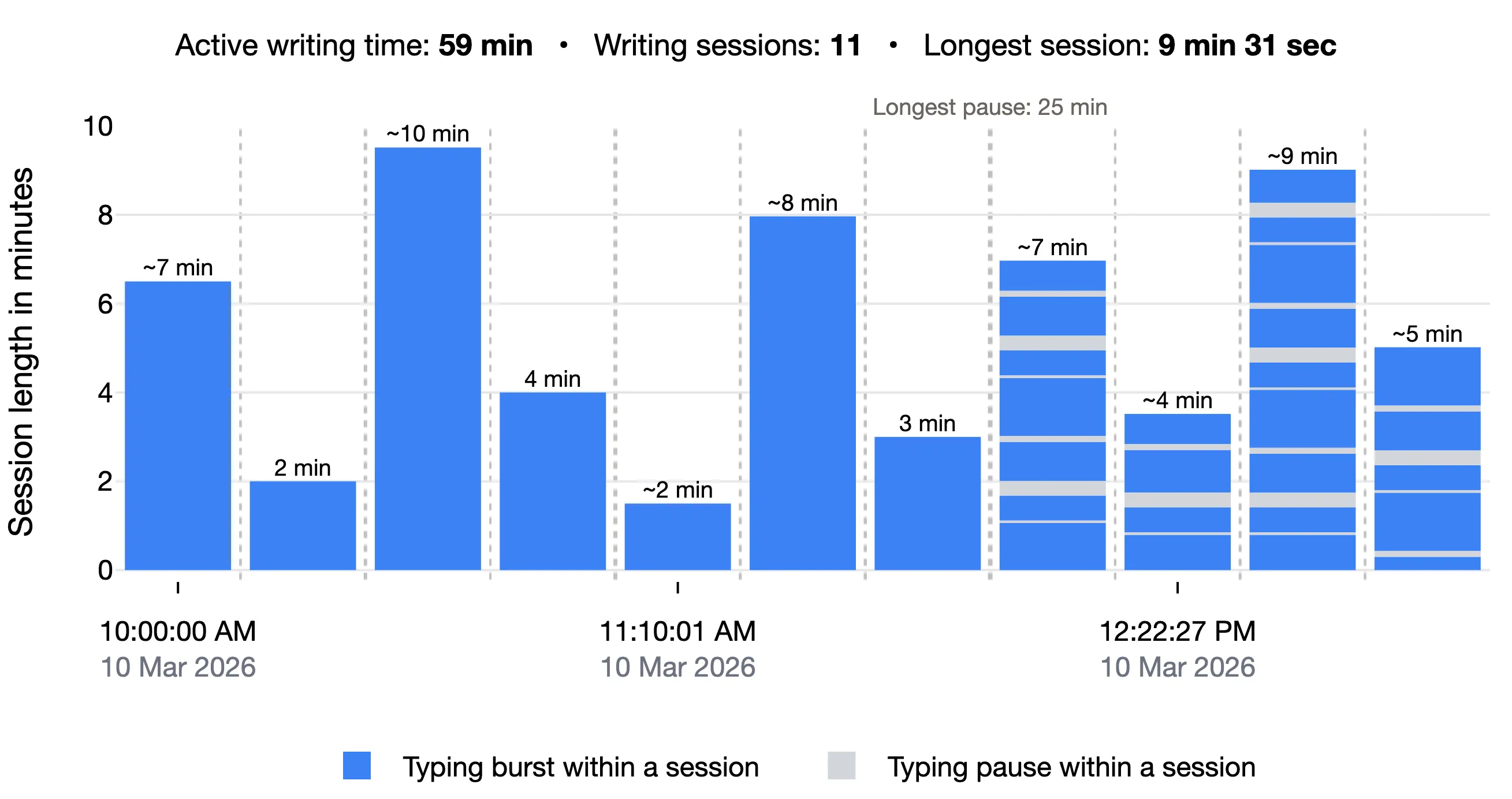
The first seven sessions are solid blue: continuous writing with no visible stops. After the longest pause, 25 min, the last four sessions are striped with grey: intermittent writing.
The same student wrote two different ways in one morning. One reading is that the first part was fast drafting, and the second part was slower revising, which means reading, deciding, and changing a little at a time. Another reading is that the first part was typed from a source, and the student started composing after the long pause. To tell the two apart, open a session in Compare Two Snapshots, or look at the same time in Writing Linearity.
4. Intermittent writing over several days
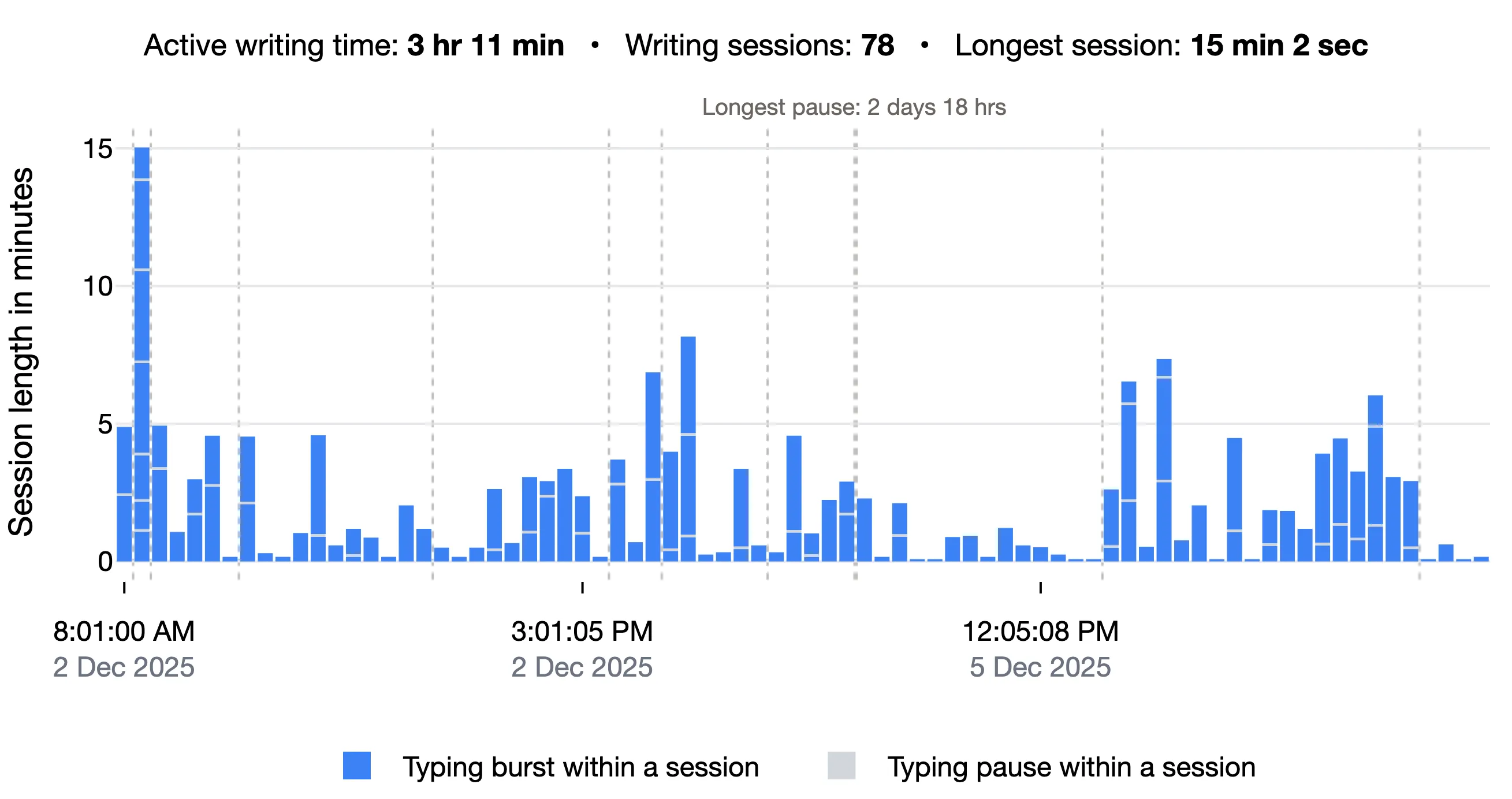
Seventy-eight sessions, starting on 2 Dec. After a pause of 2 days 18 hrs, the writing picks up again on 5 Dec. Sessions range from a few seconds to 15 minutes. The very short ones are usually quick visits, such as coming back to fix a word.
Look inside the bars. Most sessions longer than two minutes have one or more thin grey lines: short stops of a few seconds. The longest session, near the start, stops six times. The stops are fewer than in example 2, but they show up in almost every longer session. This is intermittent writing, spread over a long document.
In a chart this busy, the grey lines are thin. Use the zoom buttons in the chart toolbar to see them clearly.
5. Continuous writing over several days
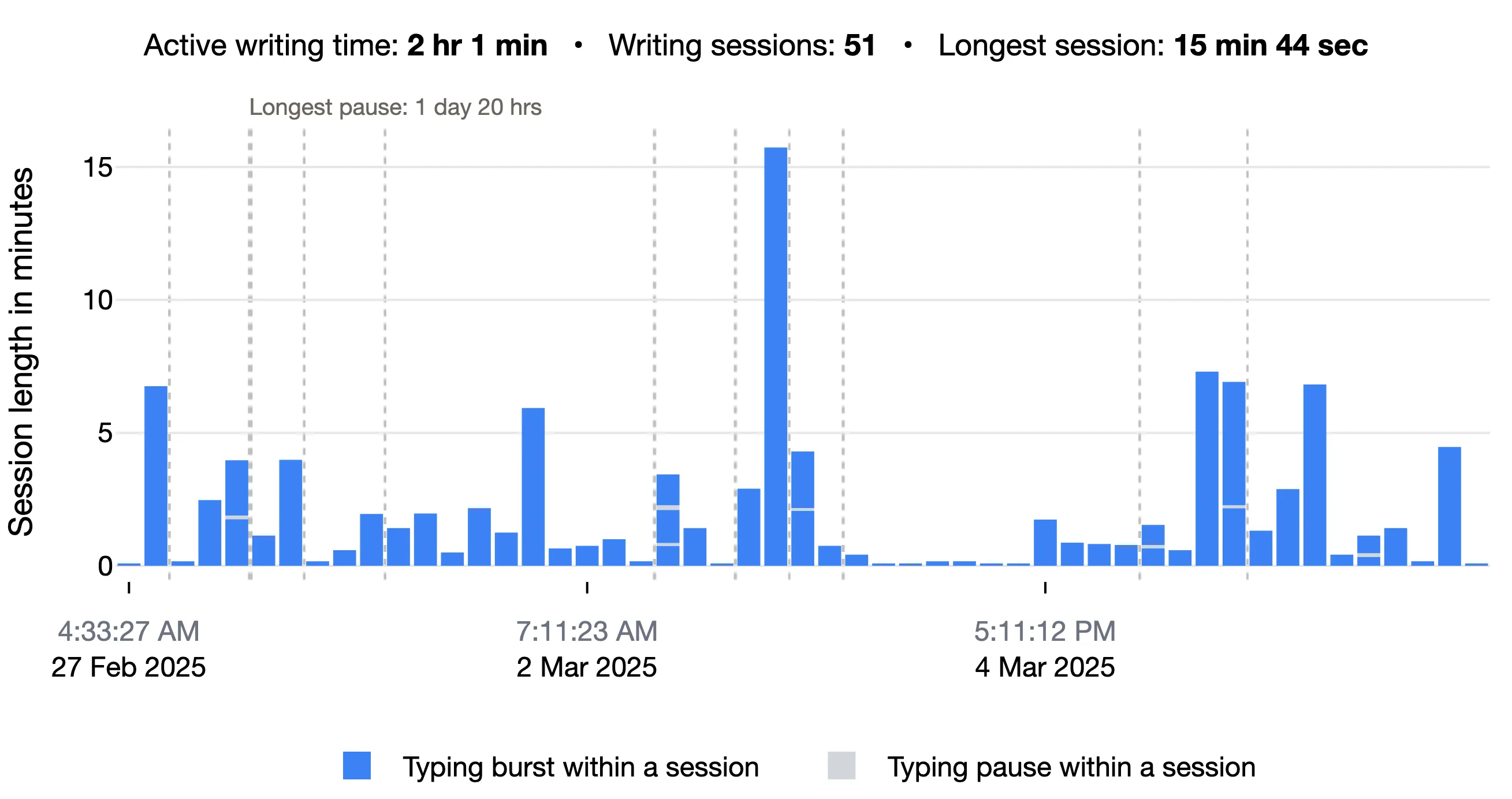
Fifty-one sessions over about a week, starting on 27 Feb. At first glance, this looks like example 4. The sessions range from a few seconds to about 15 minutes, and the summary numbers are similar: two to three hours of active writing, dozens of sessions, and a longest session of about 15 minutes. On the surface, this is a good process. The work is spread over many days, a little at a time.
Look inside the bars, and the two examples are very different. Almost every bar is solid blue. Only a few sessions have a short stop. The longest session, nearly 16 minutes, has none at all. This is continuous writing, like example 1, kept up for a week.
Composing a long document usually means stopping to think, as in example 4. Typing steadily, session after session, can mean the student was typing from a plan or a draft they had already written somewhere else. It can also mean they were retyping text from another source, such as an AI tool, a little at a time. Spreading the work over many days does not change how each session was typed.
The summary row does not show this difference. You can only see it inside the bars. Before drawing a conclusion, check Writing Pace, and open a long session in Compare Two Snapshots to see what was written in it.
E. What it does not tell you
Short pauses are often where the thinking happens. The writer works out the next phrase, rereads, or changes their mind before typing. A low writing continuity is typical of a writer composing their own ideas.
Very continuous writing has many causes. It can come from a fast, confident writer, from a timed exam, or from typing up a draft written on paper. It can also come from typing text from another source, such as an AI tool. Teachers have told us about in-class tests where students wrote with a writing continuity near 98% or 99%.
Writing continuity does not show what was typed. Check Writing Pace to see how fast the text grew, and open a session in Compare Two Snapshots to see what was written in it.
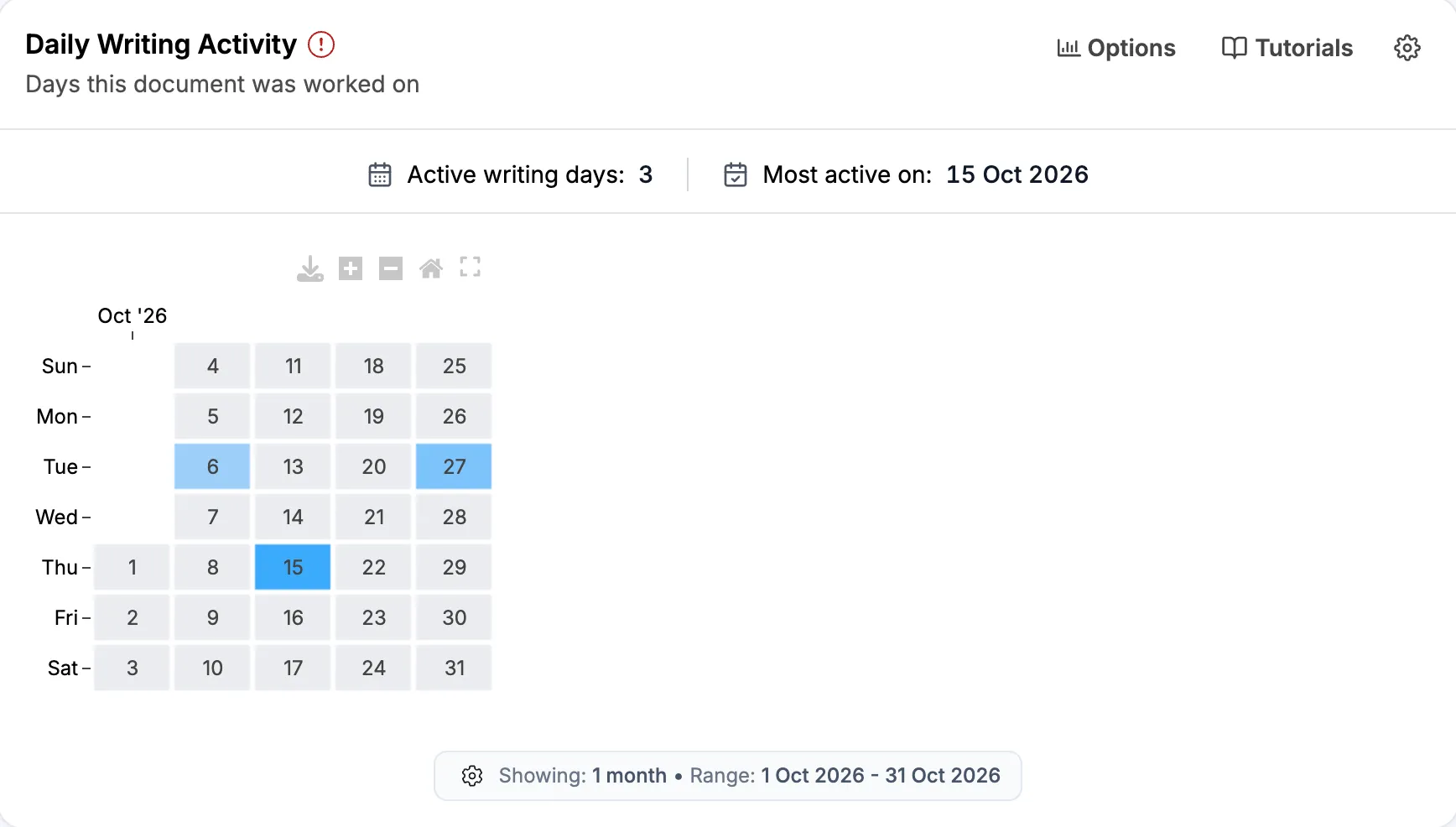
Writing continuity leaves out the long pauses between sessions. A student who wrote in one sitting and a student who wrote over a week can have the same number. Daily Writing Activity and Writing Sessions show how the work was spread out.
F. Using it in class
Students can use writing continuity to talk about how they think while they write:
- Look at your session with the most grey. What were you doing during those short pauses?
- Which of your sessions were almost all blue? Were you writing new ideas, or typing something you had already planned?