Writing process reports for school districts
One approach for every school in your district to see how students write and use AI
Deploy district-wide
No student accounts
COPPA and FERPA
Teacher training included
When every teacher handles AI differently
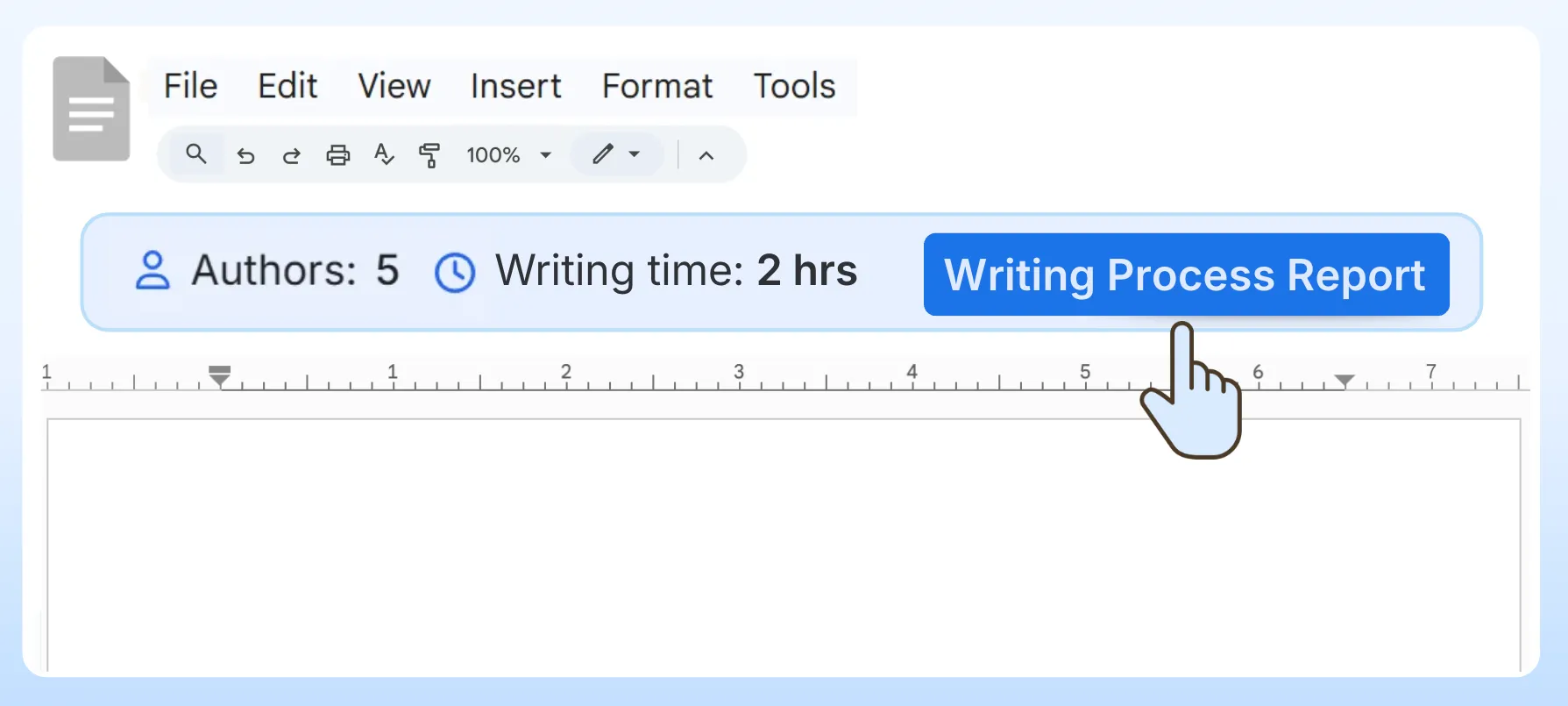
Process Feedback creates a writing process report for each piece of work students complete. The report shows writing time, revisions, copy-paste events, and AI use, without giving an AI score.
Without shared tools, teachers make their own calls about AI, and students get different rules in every class. A writing process report gives every teacher in the district the same kind of evidence to look at.
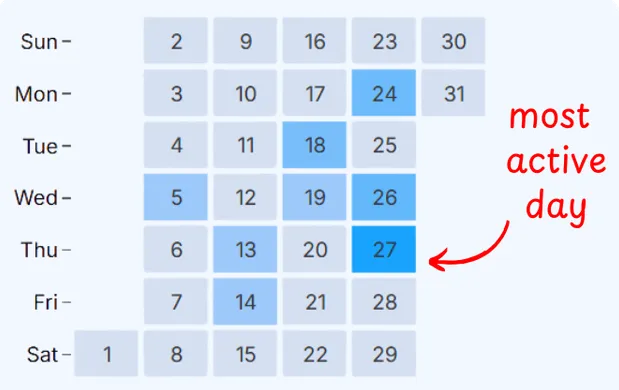
With a writing process report:
-
Students can reflect on their own AI use -
Teachers can ask students to submit the report with each assignment -
Teachers can check if and how a student used AI -
Teachers can spot students who are struggling
We need to start showing students that we care more about the iterative process of learning, to reduce the likelihood of students just having AI whip something up minutes before a deadline.
Prof. Brent Warner, Irvine Valley College
ASCD Educational Leadership, November 2025 (opens in a new tab)
Supporting your AI policy at every grade level
Many districts set different AI rules for different grades, and teachers add their own rules for each assignment. Process Feedback doesn't decide whether AI is allowed. It shows how the writing was done, so teachers can apply the policy for their grade.
| Grade band | A common AI policy | How Process Feedback helps |
|---|---|---|
| Elementary school | Students stay away from AI tools | Students write in a writing space in the browser, even on iPads. The report shows their typing, pauses, and any pasted text. |
| Middle school | AI is allowed only for brainstorming | The report shows when outside text was pasted in, so teachers can see whether AI-written text entered the draft. |
| High school | Rules vary by subject and assignment | Teachers check where outside text entered the work, and students reflect on it with the AI use reflection activity. |
Deploy it to every school at once
In most districts, IT has to approve browser extensions before teachers or students can use them. Administrators can approve the Process Feedback for Google Docs extension and install it for whole groups, such as all teachers or all students, through the Google Admin Console. Students do not need accounts. Until then, a teacher can try it on their own Google Docs.
The deployment guide covers:
-
Approving the extension in the Chrome Web Store -
Force-installing it for an organizational unit -
Checking that it works -
How the extension handles data
Works where your students already write
Google Classroom submissions are ordinary Google Docs, so Process Feedback works with Google Classroom without any setup. It also works in the other tools K-12 classrooms use.
Supported platforms:
-
Google Classroom and Google Docs -
Schoology, Canvas, and other LMSs through LTI 1.3 -
Microsoft Word -
An online writing space for in-class writing -
An online compiler for computer science classes
Review the entire class in one dashboard
A high school teacher may have five or six sections of the same course and no teaching assistant. The teacher dashboard loads many students' writing process reports at once, so a teacher can compare how a whole class approached an assignment.
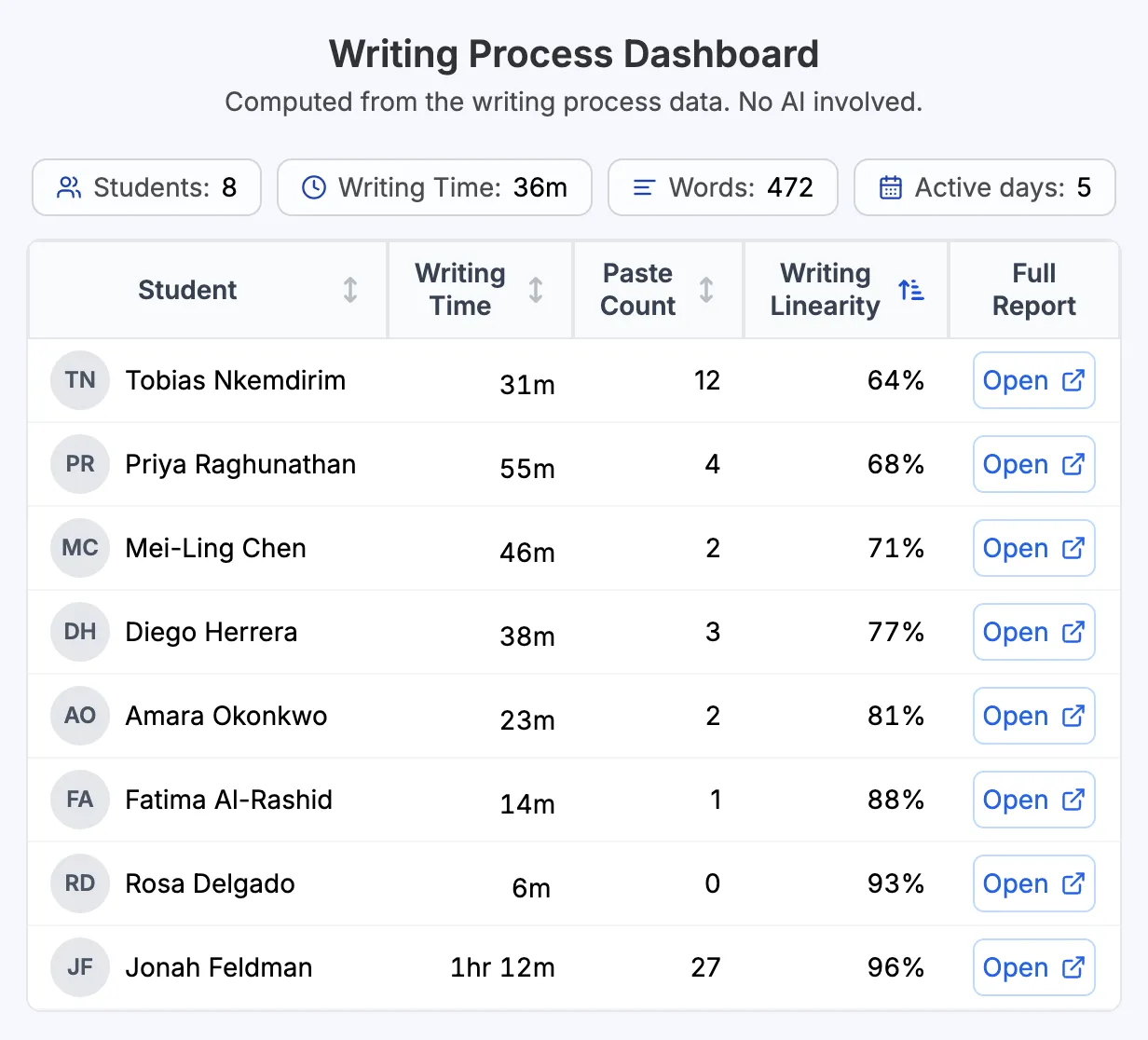
The dashboard helps teachers:
-
See every student's report in one place -
Compare copy-paste, AI use, and writing linearity -
Review a class without opening each report
Student privacy and documents for district review
With the browser extensions and plugins, reports are created on the student's or teacher's device, and no student data is collected. Under a district agreement, the Share this Report option is turned off for your district's email domain, so report data from those accounts never reaches Process Feedback's servers.
Available for district review:
-
Signed student data privacy agreement (DPA or DSA) -
Designed to align with FERPA and COPPA -
VPAT accessibility conformance reports -
Scheduled privacy audits -
A sample data privacy certificate
It also handles data in a privacy-conscious manner by running locally in the browser unless a user chooses to share a report link. In other words, it is less a detector than an analytics tool.
Tom Daccord, EdTechTeacher
Tom's Takes, April 2026 (opens in a new tab)
What to tell parents
Parents often ask what the tool looks at and who sees it. These answers can go in a letter home or a school newsletter.
-
It reads the edit history that Google Docs already keeps for every document. It does not capture audio. -
Students do not need an account. -
With the browser extensions, reports are created on the student's or teacher's device. -
It does not give students an AI score or label them. -
Teachers use the reports to talk with students about how they write.
Training for your teachers
Districts can invite the Process Feedback team to lead a professional development session for their staff. Monthly webinars also show teachers how to read a writing process report and use it with students.
Teachers get ready-made resources, including a syllabus statement, reflection prompts, and teacher guides.

Thank you so much for the overview of Process Feedback yesterday morning. I used it today, and seeing a copy and paste event was likely from voice typing was so helpful!
Social Studies Teacher
High School in Atlanta, USA (2025)
Start with a free one-term pilot
Districts can run a free pilot for one term, in a few schools or across the district, before signing an annual agreement. After the pilot, pricing starts at $200 per year for one school, with custom pricing for districts. It does not depend on the number of students or teachers (institutional pricing).
The one-term pilot includes:
-
Signed Data Privacy Agreement (DPA) -
VPAT documentation for procurement review -
Teacher training sessions -
Email support with agreed response times -
Clear success criteria defined upfront
Backed by research and promoted by the academic community
Process Feedback is grounded in peer-reviewed research. It is also listed as a resource in many universities. Here are some conferences where its findings and methods were presented.











Frequently Asked Questions
Talk with us about your district
Book a meeting to discuss your platforms, privacy requirements, and a one-term pilot. Or look at a sample student report first.