What is the Process Feedback extension for Google Docs?
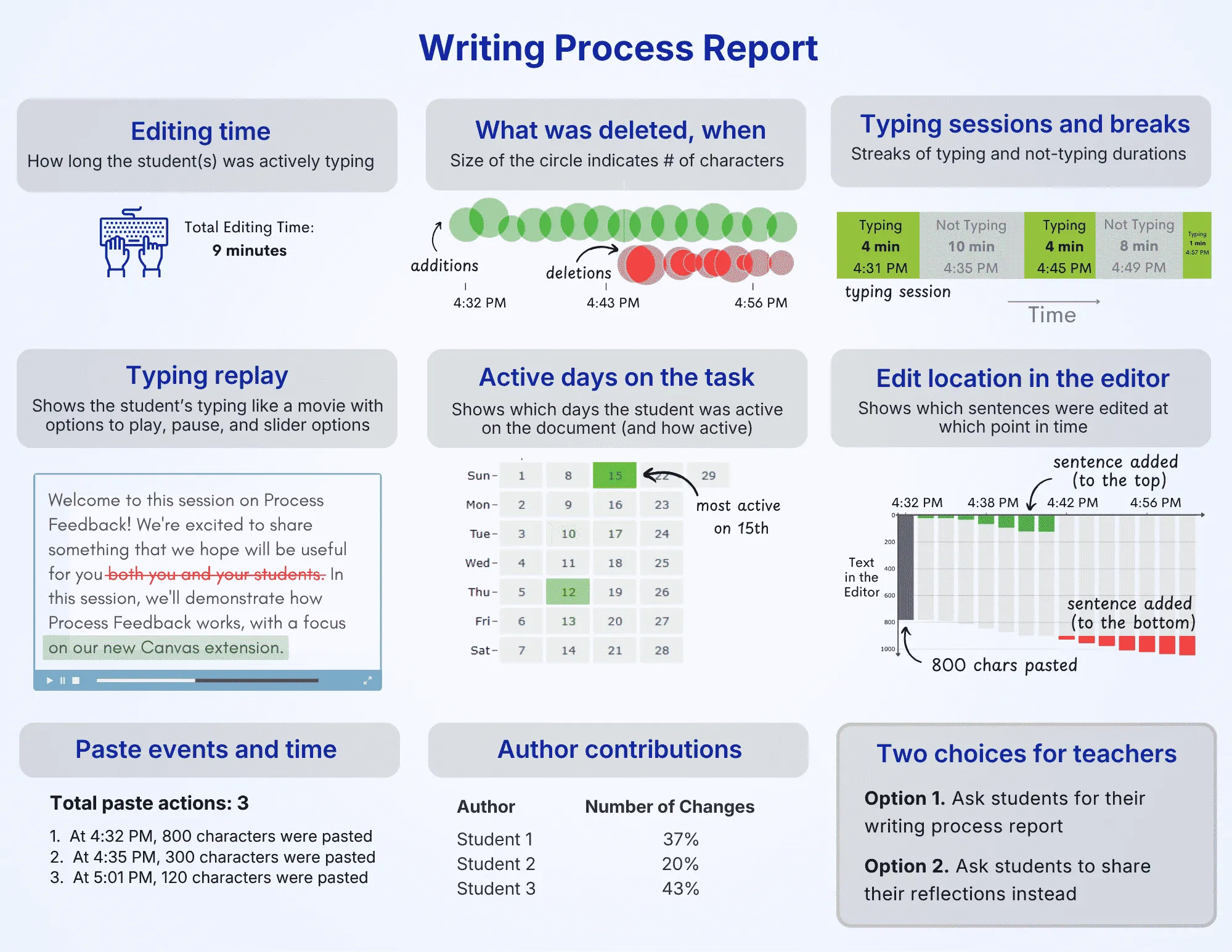
Process Feedback for Google Docs is a browser extension that produces a writing process report for a Google Doc. Unlike AI detectors, it shows the actual writing journey: revisions, copy-paste events, writing sessions, and writing linearity.
For students wanting to prove that they honestly did their work, the writing process report serves as an authorship report. Similarly, for teachers wanting to understand the steps students took to complete their work, it serves as objective data.
If you are new to Process Feedback, we recommend that you also read our introduction.
With Process Feedback:
-
AI concerns can turn into teachable moments -
Students can reflect on their writing habits -
Teachers can see who is struggling in their class -
Student-teacher conversations become data-driven
Generates a writing process report for any Google Doc
At any point while writing, students can generate a writing process report (or authorship report) that summarizes how their work developed over time.
-
Visualizations of writing and revision activity -
Downloadable PDF for sharing or reflection -
Designed for explaining and communicating about the working process
Very helpful secondary tool for teachers navigating whether or not AI use was present in documents. Essential at a time when AI checkers are suspect at best.
★★★★★ 5.0 rating · Apr 2026
Verified Chrome Web Store Review
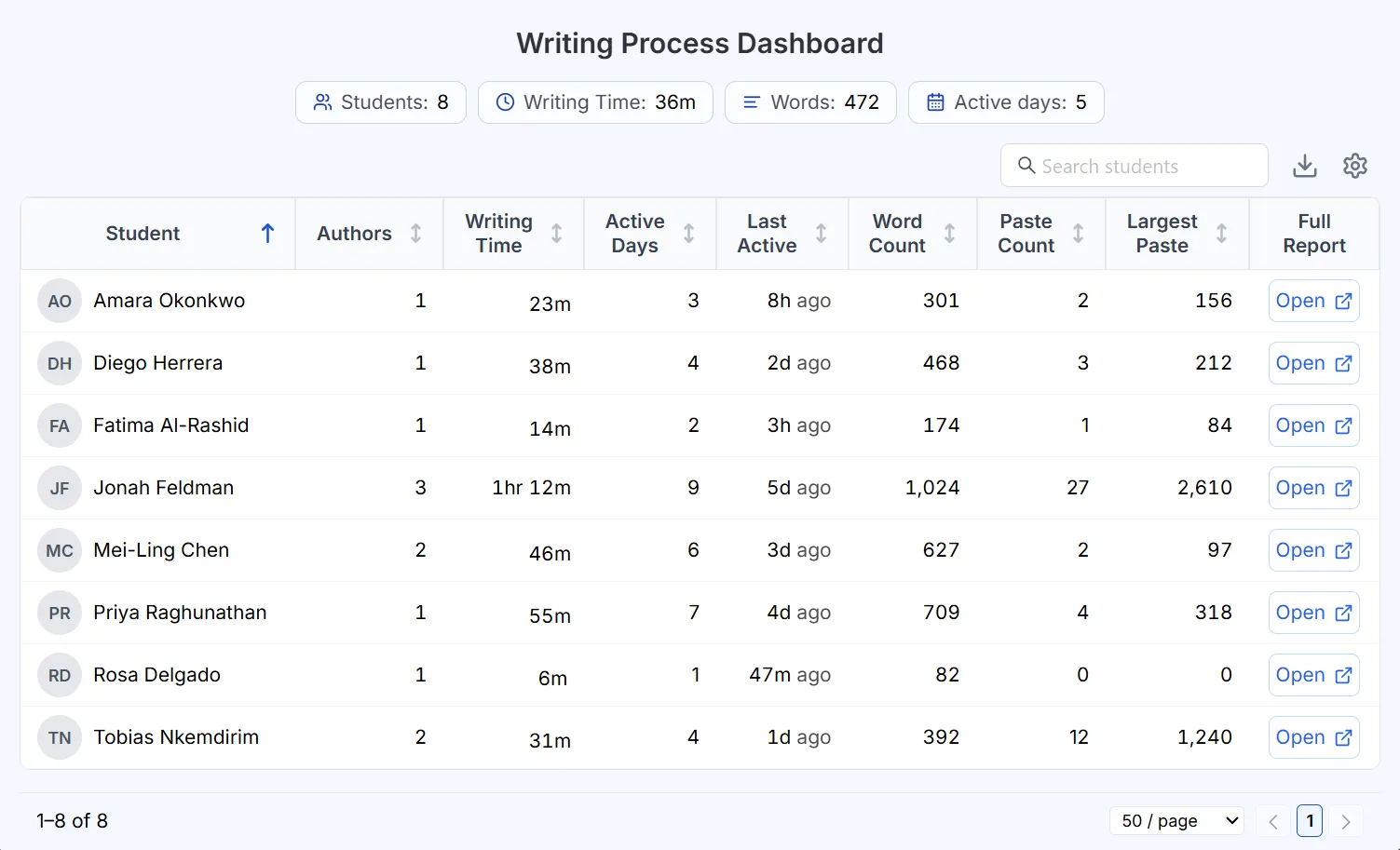
Writing process dashboard for teachers
Teachers get a single dashboard to review the writing process across an entire class, without opening each document one by one.
-
See every student's writing process report in one place -
Spot copy-paste, AI use, and unusual patterns at a glance -
Manage and share reports in bulk for large classes
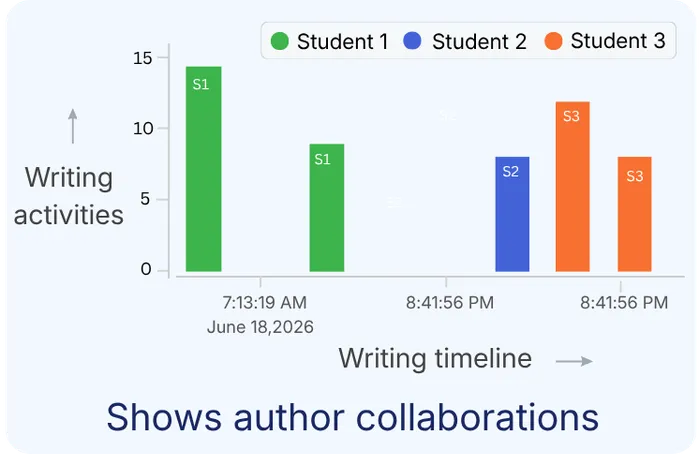
Shows who contributed what and when to a Google Doc
Process Feedback provides visibility into how multiple authors contribute to a shared document, making collaborative writing transparent and easy to reflect on.
-
Each author's share of the work -
Who contributed the most -
Group reflection on how the work was shared
Why Process Feedback is better than other tools
Tools like Draftback, Revision History, Grammarly Authorship, and Originality.ai also analyze writing in Google Docs. But Process Feedback offers more depth, costs nothing, and respects student privacy. For a fuller breakdown, see our comparison of 10 writing-process extensions.
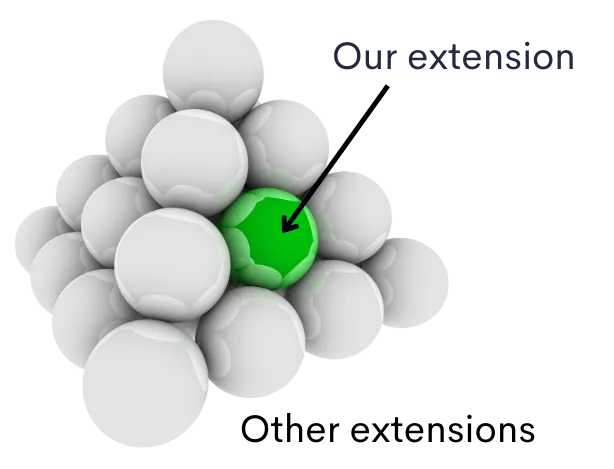
Unlike Process Feedback, most other tools:
-
Charge subscriptions -
Require accounts -
Aren't research-backed -
Collect data by default -
Work on only one platform -
Don't work with LMSs -
Don't support reflection -
Focus only on AI detection
The best tool of its kind, including those that have implemented paywalls and subscriptions.
★★★★★ 5.0 rating · May 2026
Verified Chrome Web Store Review
Works with Google Classroom
Since Google Classroom submissions are ordinary Google Docs, Process Feedback works with Google Classroom automatically. When students write in a Google Doc assigned or turned in through Google Classroom, teachers can open it and see the full writing process report.
For Google Classroom teachers, this means:
-
Students don't need to install anything ahead of time -
No account required for teachers or students -
Teachers can open a dashboard in just a few clicks -
Works for older assignments too
Resources for teachers and students
The Teacher Guides cover setting up assignments, opening a dashboard for a whole class, reading a writing process report, and guiding students through reflection. The Student Guides walk students through installing the extension, submitting their report, and reflecting on their own writing process and AI use.
Works really well! Helps me prove to teachers that I didn't use AI for assignments!
★★★★★ 5.0 rating · Apr 2026
Verified Chrome Web Store Review
Why institutions and IT admins like it
Process Feedback respects users’ data privacy and is easy for IT to approve. Here's why:
-
Runs entirely on the user's device, including the teacher dashboard -
Does not collect any data -
Uses a “local-first” architecture -
Users control who sees and shares their data
Student privacy: sharing the report is optional
In some situations, teachers may not want to ask students to share their writing process. For example, in a graduate-level university course, a professor may not want a graduate student to share that most of their writing happened late at night. Instead, the professor may simply want the student to reflect on their own working habits. Process Feedback is built with this concern in mind.
Instead of collecting every student's report by default, teachers can:
-
Encourage students to review their own reports privately before anything is submitted -
Assign reflection prompts and collect the reflections instead of the report itself -
Ask for the report only when a conversation calls for it, not by default
Institutional access
The Process Feedback extension for Google Docs is free for individual teachers and students. For institutional access, please check our institutional pricing page.
With institutional access, we offer:
-
Data Privacy Agreements (DPAs or DSAs) with schools, colleges, and universities -
VPAT and HECVAT compliance documents -
Support and uptime guarantees -
Teacher webinars and professional development sessions -
Early access to new features -
Advance notice of updates and upgrades -
Certificate of data privacy and compliance

Frequently Asked Questions

See it in action
Start by looking at a sample student report or by reading our teacher guides.