Options for institutions without an LMS
Options for using Process Feedback without a learning management system
No LMS required
Free one-term pilot
No AI detection scores
VPAT & HECVAT reports
Three ways to use Process Feedback without an LMS
Process Feedback offers three options for teachers and students to use Process Feedback without a learning management system. There is no plugin to install, no LTI configuration to manage, and no new infrastructure to stand up: teachers can pilot any of these today, and institutions can adopt them at whatever scale they need.
-
Option 1. Students use our free online editor to complete their work -
Option 2. Students and/or teachers install and use our free Google Docs extension -
Option 3. Students install our free browser extension for Canvas
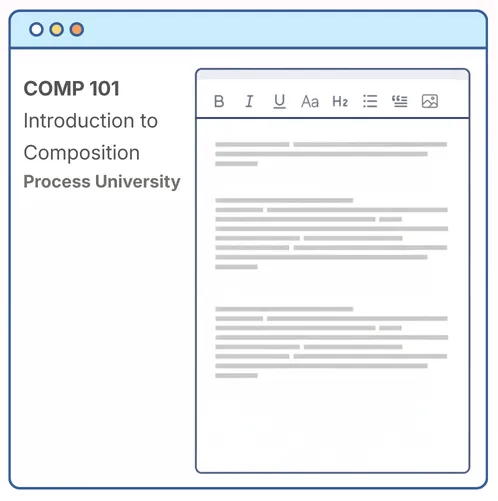
Option 1. Process Feedback's online writing space
The Process Feedback online editor is a self-contained online writing space for assignments where the writing process matters. It needs no LMS and no accounts — a teacher creates an editor in about two minutes and shares a link. As students write, the editor can generate a "writing process report" they can review or share for reflection, feedback, or discussion.
| Key feature: | Fully self-contained writing space; optional real-time rubric-based AI feedback while students work |
| LMS required: | No |
| Data collection: | Yes, but not automatic |
| Who sets it up: | Teacher creates an editor and shares a link |
| Accounts required: | No |
| Mobile devices: | Yes |
| Students submit: | Automatic submission, process data ZIP, writing report link, or report PDF |
| Teacher dashboard: | Yes |
Option 2. Google Docs
Since Google automatically collects writing process data, students can continue to use Google Docs as usual, without installing anything extra or needing an LMS. Anytime after a writing project, students or teachers can use the Process Feedback for Google Docs extension to explore the writing process.

| Key feature: | Supports multi-author student projects and shows author collaborations |
| LMS required: | No |
| Data collection: | No, not by default |
| Who installs: | Students and/or teachers |
| Accounts required: | No |
| Mobile devices: | Yes, supported by Google Docs |
| Students submit: | Google Docs edit link, process data ZIP, writing report link, or report PDF |
| Teacher dashboard: | Yes |
Option 3. Browser extension for Canvas
Our Process Feedback extension from the Chrome Web Store works in Canvas assignments and discussion boards — no accounts required. It is a good fit when students write directly in Canvas rather than in Google Docs or our editor.
| Key feature: | Works directly in Canvas editors |
| LMS required: | No |
| Data collection: | No, students can choose |
| Who installs: | Students |
| Accounts required: | No |
| Mobile devices: | Not supported |
| Students submit: | Process data ZIP, writing report link, or report PDF |
| Teacher dashboard: | Yes, runs locally in the browser |

Ready for institutional review
When a school, district, college, or university needs a formal deployment, an institutional agreement covers it: a signed Data Privacy Agreement, documentation for procurement review, scheduled audits, deployment support, teacher training, and more.

-
Accessibility report (VPAT) available upon request -
Data security report (HECVAT) available upon request -
Alignment with FERPA and COPPA in the U.S., GDPR in the EU, and APP in Australia -
Support for Data Processing Agreements -
A zero-data-collection tier for extensions and plugins, and a governed tier for LTI integration -
Free one-term pilots

Want to try it without an LMS?
Process Feedback is free for individual teachers and students. A teacher can create an editor and share a link in about two minutes.