Assignments with writing process dashboard
Create an assignment and see students' writing process reports (or authorship reports) in a dashboard. It functions like a simple mini-LMS. An optional feature includes rubric-based AI feedback for students.
No accounts or installations required
Designed for reflection and discussion
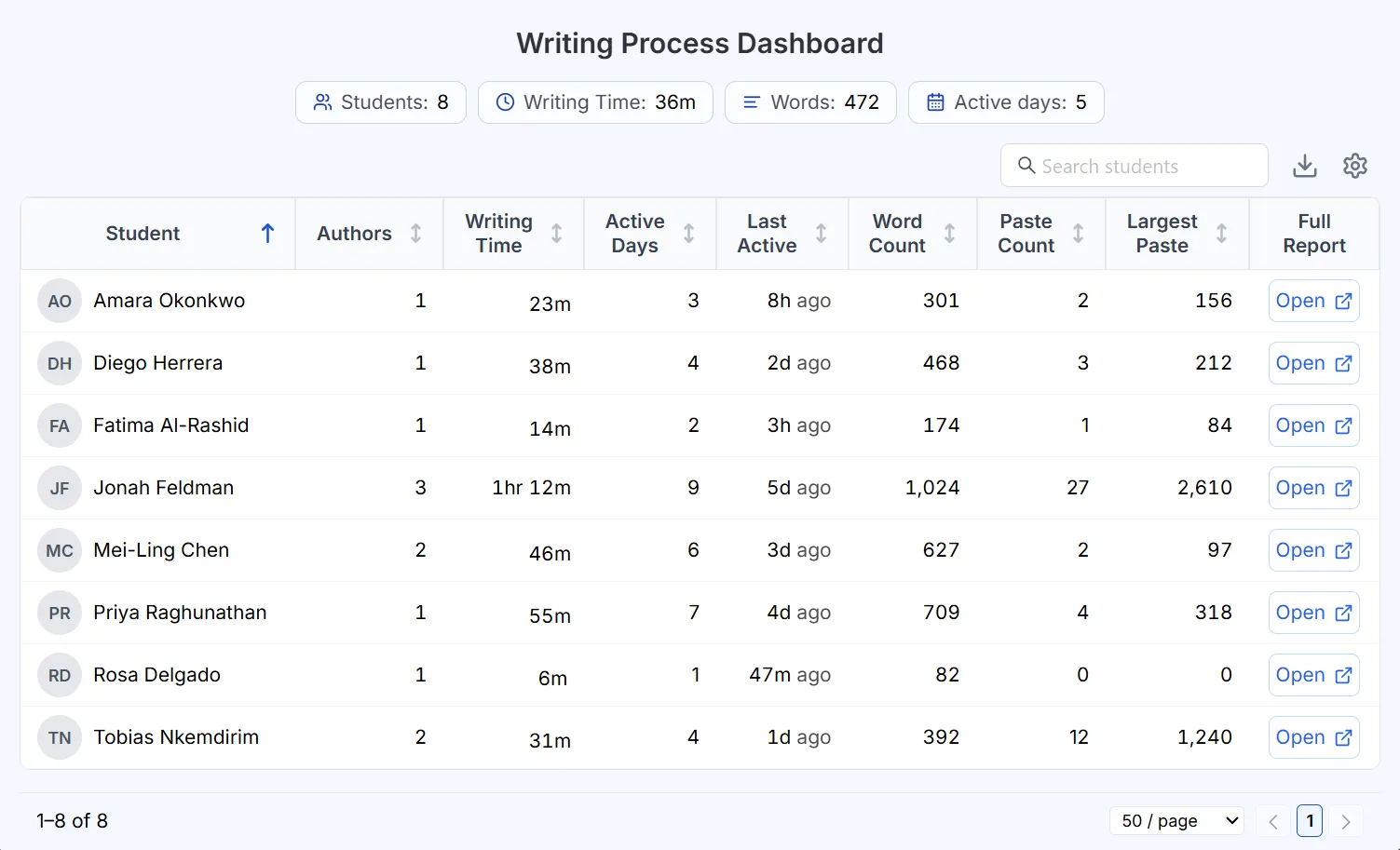
Teacher dashboard shows all students' reports
Optional rubric-based AI feedback for students
What is the create assignment option?
In this approach, Process Feedback allows you to create a question, collect student submissions, and review all responses in a single dashboard. It effectively functions as an independent mini learning management system. And neither you nor your students need to create an account.
After you create an assignment:
-
You will receive a unique link to share with students -
When students open the link, the assignment appears at the top of the editor -
After completing the assignment, students can review their writing process and submit their work -
As submissions come in, you can track them all from a single dashboard
Optional rubric-based AI feedback for students
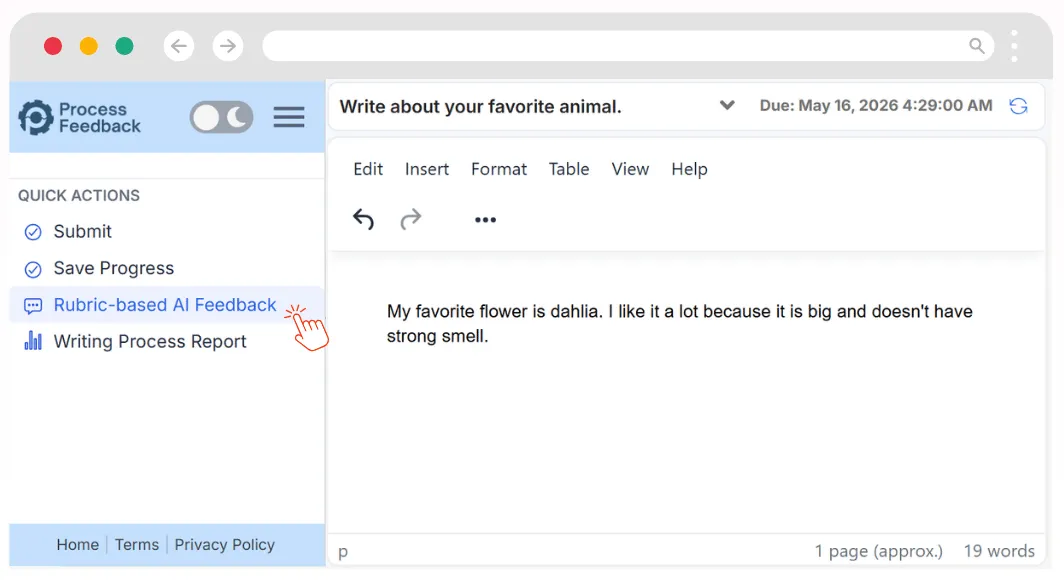
Process Feedback includes an optional feature where the AI gives students feedback against a rubric you define. The AI applies your criteria, helping students reflect and improve as they work. You decide whether to enable it for each assignment.
When you enable this feature:
-
You define the rubric or criteria the AI should check the writing against -
As students work, they can click the 'Rubric-based AI Feedback' button to get feedback aligned with your rubric -
This feedback can help guide students in their writing process and improve their work -
After submission, you can see who used the rubric-based AI feedback and what feedback they received
Building AI literacy with rubric-based feedback
Because Process Feedback delivers AI feedback against a rubric you define, students don't just receive answers; they learn to weigh feedback against clear criteria, decide what to accept, and revise with intention. This turns AI from a shortcut into a coach, helping students build judgment they will carry beyond your classroom.
How rubric-based AI feedback builds AI literacy:
-
Students learn to evaluate AI feedback critically instead of accepting it at face value -
Feedback tied to your rubric keeps students focused on your learning goals, not generic suggestions -
Reviewing and choosing which feedback to act on develops responsible, intentional AI use -
The writing process report lets you discuss how students engaged with AI, turning it into a teachable moment
Find how engaged your students are throughout the term
With Process Feedback, you have access to every student's writing process on every assignment throughout the term. That full record of how your students actually work, not just their final drafts, is the real signal of engagement, showing how much time they spent, how much they revised, and how the writing came together for each piece of work.
Having every student's writing process across the term lets you:
-
See time-on-task and revision effort for each assignment, not just the final draft -
Track how a student's engagement holds up from the first assignment to the last -
Notice when a student's effort starts to drop, so you can reach out sooner

Helps your students become reflective and reflexive thinkers
Plagiarism prevention and academic integrity policies alone don't inspire students, but meaningful reflection does. Process Feedback provides process-level data, enabling students to analyze and improve their working process.

When students reflect, they:
-
Develop metacognition, understanding how they think and learn -
Strive for process excellence, not just the final product -
Gain transferable skills that extend beyond the classroom
Frequently Asked Questions

See it in action
Read the teacher guide or create an assignment to see how it works.