Schools, districts, and universities are now looking at writing process tracking tools. These tools show how a piece of writing was completed, such as how long a student worked, what was pasted in, and how the writing changed over time.
This checklist is for:
- District superintendents and school administrators
- IT heads at individual schools and districts
- Centers for teaching and learning at universities (CTL, CETL)
- Academic integrity offices and instructional designers
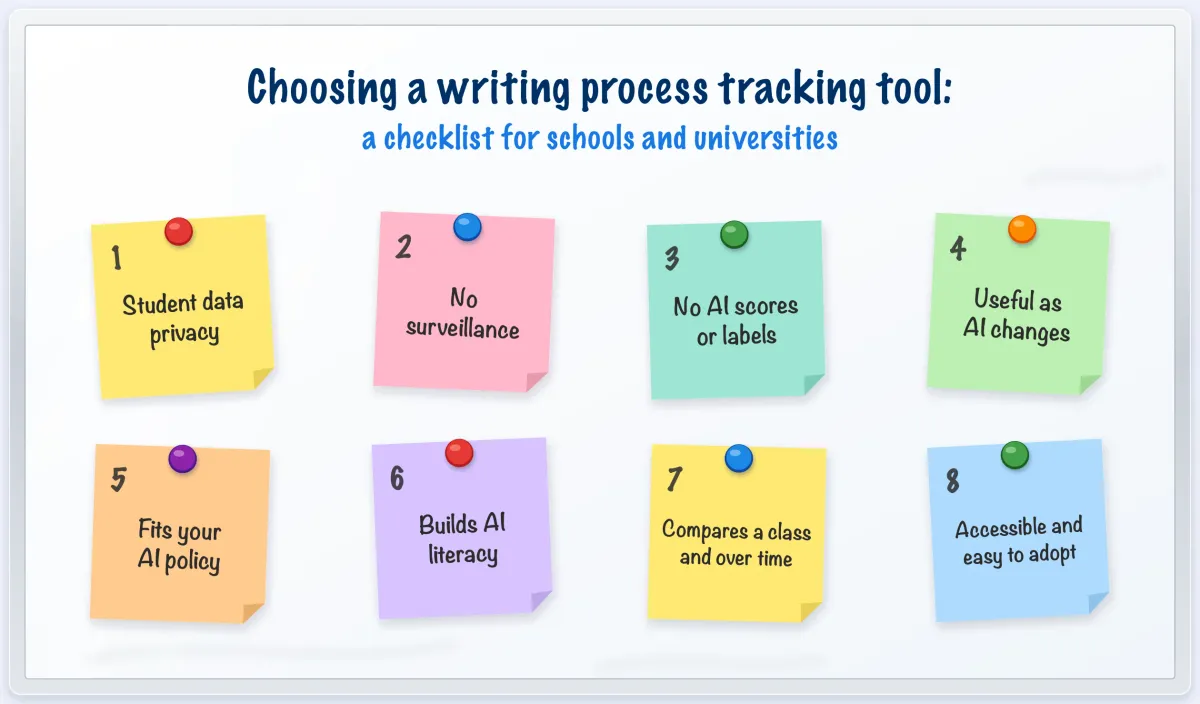
The checklist has eight questions:
- Does it protect student and teacher data?
- Can it be used without surveillance?
- Does it avoid scores and labels?
- Will it still be useful as AI changes?
- Does it work with your AI policy?
- Does it help students build AI literacy?
- Can teachers compare writing processes across a class and over time?
- Is it accessible and easy to adopt?
Each section below explains why the question matters, lists more specific questions to ask about each tool, and shows how Process Feedback answers it.
1. Does it protect student and teacher data?
A writing process tool sees a lot: author name, email address, every word a student types, every paste, and every revision.
Questions to ask:
- Can a writing process report be created without sharing any data at all?
- Do users need to sign up or create an account?
- Does it align with the laws that apply to you, such as GDPR, FERPA, or COPPA?
How Process Feedback answers this:
With the Process Feedback browser extensions and plugins, reports are created on the student’s or teacher’s device, and no data is collected. If a user chooses Share this Report, the report is uploaded so others can open it. Under an institutional agreement, this option is turned off for the institution’s email domain. Process Feedback also provides a data privacy certificate that can be shared with students and parents.
2. Can it be used without surveillance?
Many students feel pressure when they know a teacher is watching every step of their writing. Some teachers are also not comfortable seeing private details, such as a student writing late at night. It helps when students can look at their own writing process without a teacher watching.
Questions to ask:
- Can students explore their own writing process on their own?
- Does the tool come with guides that help students understand their report?
- Can teachers ask for a reflection instead of the full report?
How Process Feedback answers this:
Process Feedback gives students a detailed writing process report that they can open and explore on their own. Help pages explain each section of the report, and student guides show how to use it. Teachers do not have to ask students for their report. Instead, they can ask students to reflect on their own writing process and share only the reflection. Teachers can use ready-made reflection prompts for this. For example, a professor in a graduate course may not want to know that a student did most of the writing late at night, but may still want the student to think about their working habits.
3. Does it avoid scores and labels?
Some tools give each document a score or a label, such as “likely AI” or “suspicious”. A label like this can feel like a verdict, even when it is only a guess. It can also lead to unfair conversations with students who did their own work. Whether a writing process or an AI use is a problem depends on the assignment and the class rules.
Questions to ask:
- Does the tool give a prediction score, or label student work as good, bad, or unusual?
- Does the tool use AI (large language models) to create the report?
- If students saw the scores and labels that teachers see, how would they feel?
- Who decides what a pattern in the writing means: the tool or the teacher?
How Process Feedback answers this:
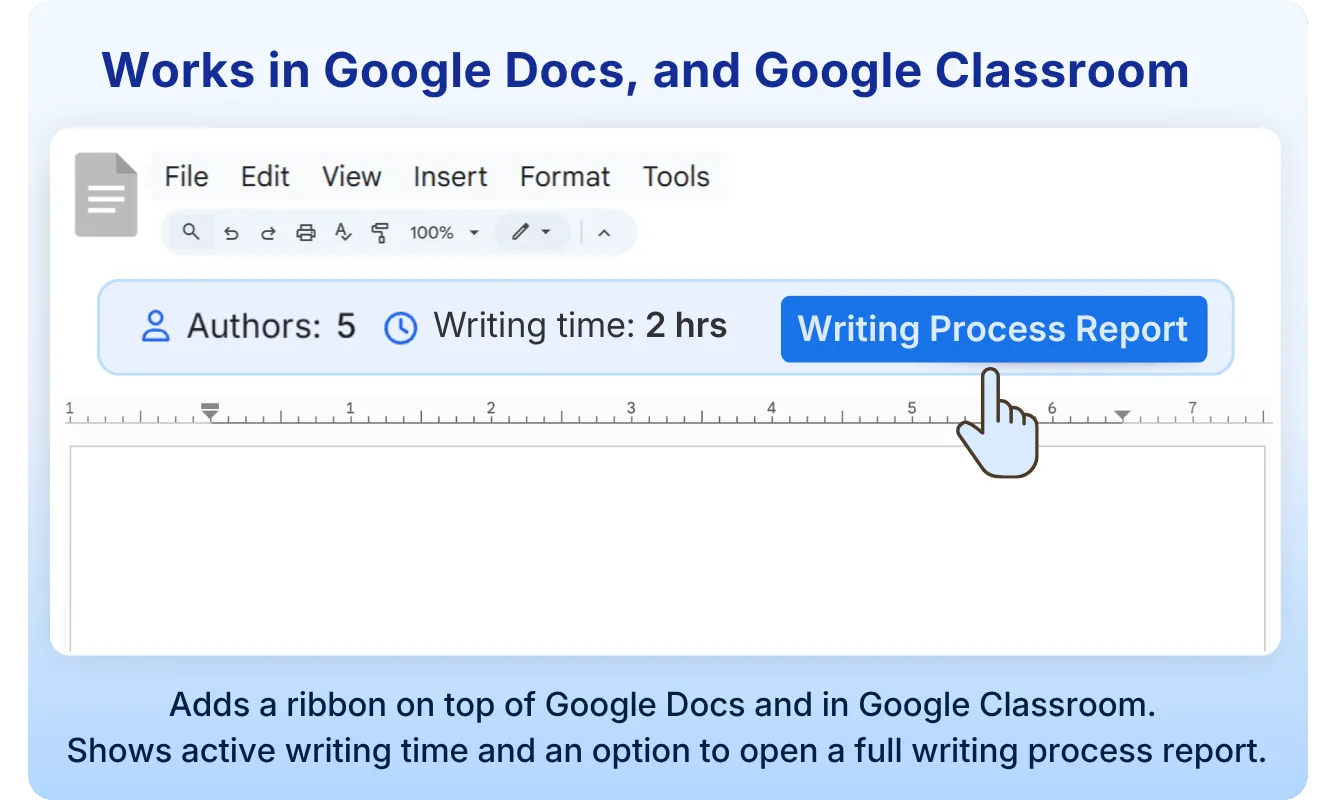
Process Feedback does not give an AI score, and it does not label students. It does not use AI to create the report. Its writing process report shows the facts of the writing process, such as writing time, writing linearity, and copy-paste events. Teachers and faculty decide what those facts mean. Students can open their own report and see the same information.
4. Will it still be useful as AI changes?
Many tools appeared after ChatGPT was released, and their main purpose is to catch AI use. If AI tools change, or if your policy changes, a tool built only to catch AI use may stop being useful.
Questions to ask:
- Is the tool built only to catch AI use, or does it also support learning?
- Is it based on published research?
- Would teachers and faculty still use it if AI were not a concern?
How Process Feedback answers this:
Process Feedback was built to help students reflect on how they write. Teachers and faculty use the report to talk with students about their writing habits, such as starting late, doing little revision, or working in short bursts. Those conversations matter with or without AI. The approach is described in peer-reviewed research, starting with a 2023 paper in Education Sciences. In Inside Higher Ed, Chris Gortmaker, a lecturer in English at Binghamton University, wrote that Process Feedback “sets the stage for honest and concrete conversations about AI and writing that become genuine learning moments for students.”
5. Does it work with your AI policy?
Many schools and universities allow AI in some grades, courses, or assignments and not in others. A tool that treats every use of AI as cheating does not fit that kind of policy.
Questions to ask:
- Does the tool assume that all AI use is wrong?
- Can teachers see when and how AI was used, not only whether it was used?
How Process Feedback answers this:
Process Feedback is not anti-AI. It does not decide whether AI is allowed. It shows how the writing was done, including when and how AI-written or pasted text entered the work, so each teacher or faculty member can apply the policy for their class. For K-12, the school districts page shows how this works for elementary, middle, and high school. For ideas on guiding students, see how to encourage students to use AI responsibly.
6. Does it help students build AI literacy?
Students will use AI at work and in daily life after they leave school or college. AI literacy means knowing when AI helps, when it gets in the way of learning, and how to be open about using it. A writing process tool can support this when students can study their own AI use.
Questions to ask:
- Can students review their own AI use, or can only teachers see it?
- Does the tool offer data to help students reflect on their AI use?
How Process Feedback answers this:
With Process Feedback, students can open their own report and look back at each time they used AI. In the AI use reflection activity, students list each time they used an AI tool. They rate how much it helped the final product and how much it helped their writing process. Comparing the two ratings shows which uses of AI supported their learning. Teachers and faculty can also use ready-made reflection prompts in class.
7. Can teachers compare writing processes across a class and over time?
Looking at one student’s writing process on its own is not always helpful. A pattern often makes more sense next to the rest of the class. Teachers also may not have time to open every student’s report. A high school teacher may have five or six sections of the same course, and a university course may have hundreds of students.
A dashboard lets teachers compare. For example, they can sort students by writing time to see who spent very little time on an assignment. Over a term or a school year, teachers can also see how each student’s writing process changes.
Questions to ask:
- Can teachers see the writing process of a whole class in one place, or only one document at a time?
- Can teachers sort and compare students, for example by writing time or writing linearity?
- Can teachers see how a student’s writing process changes across assignments, over a term, a year, or several years?
How Process Feedback answers this:
Process Feedback has a teacher dashboard that shows many students’ writing processes in one table, with class averages. Teachers can sort students by measures such as writing time, active days, and paste events, compare writing linearity, and open any student’s full report from the same row. If students’ Google Docs are in one Google Drive folder, such as a Google Classroom assignment folder, a Writing Process Dashboard button opens a dashboard for every document in the folder. See if you have a large class for all the ways to open it.
With the LMS integration, a Student Engagement Report shows each student’s effort across the whole term, assignment after assignment.
8. Is it accessible and easy to adopt?
A tool helps only if every student can use it and teachers can start without much effort. Accessible also means that students with disabilities can use it, for example with a screen reader.
Questions to ask:
- Does the company publish an accessibility conformance report (VPAT)?
- Does it work where your students already write, such as Google Classroom, Canvas, Moodle, or Schoology?
- Can individual teachers or faculty try it before the institution decides?
- Is training available for teachers and faculty?
- Can you run a pilot before you sign an agreement?
How Process Feedback answers this:
Process Feedback publishes VPAT reports for the Google Docs extension, the Moodle plugin, and the LMS integration. It works in Google Docs, Google Classroom, Microsoft Word, and the common learning management systems (see all tools). IT can deploy the Google Docs extension to every school or campus at once. Individual teachers and faculty can use it for free, without an account, before any campus agreement. Institutions can invite the team to lead a training session, and teachers can join monthly webinars.
Schools, districts, and universities can also start with a free one-term pilot. See the pages for school districts and colleges and universities for details.