Teachers interested in AI, writing, and assignments joined our teacher webinar on June 17, 2026, as we do every month. They raised some sharp questions about AI and academic writing. The discussion that followed was even better. Below are the questions and how we answered them.
How do I review 30 essays without watching every replay?
“It is wonderful that tools like Process Feedback show a video replay. But I don’t have time to watch a video replay of 30 student essays. Is there a faster way to do this?”
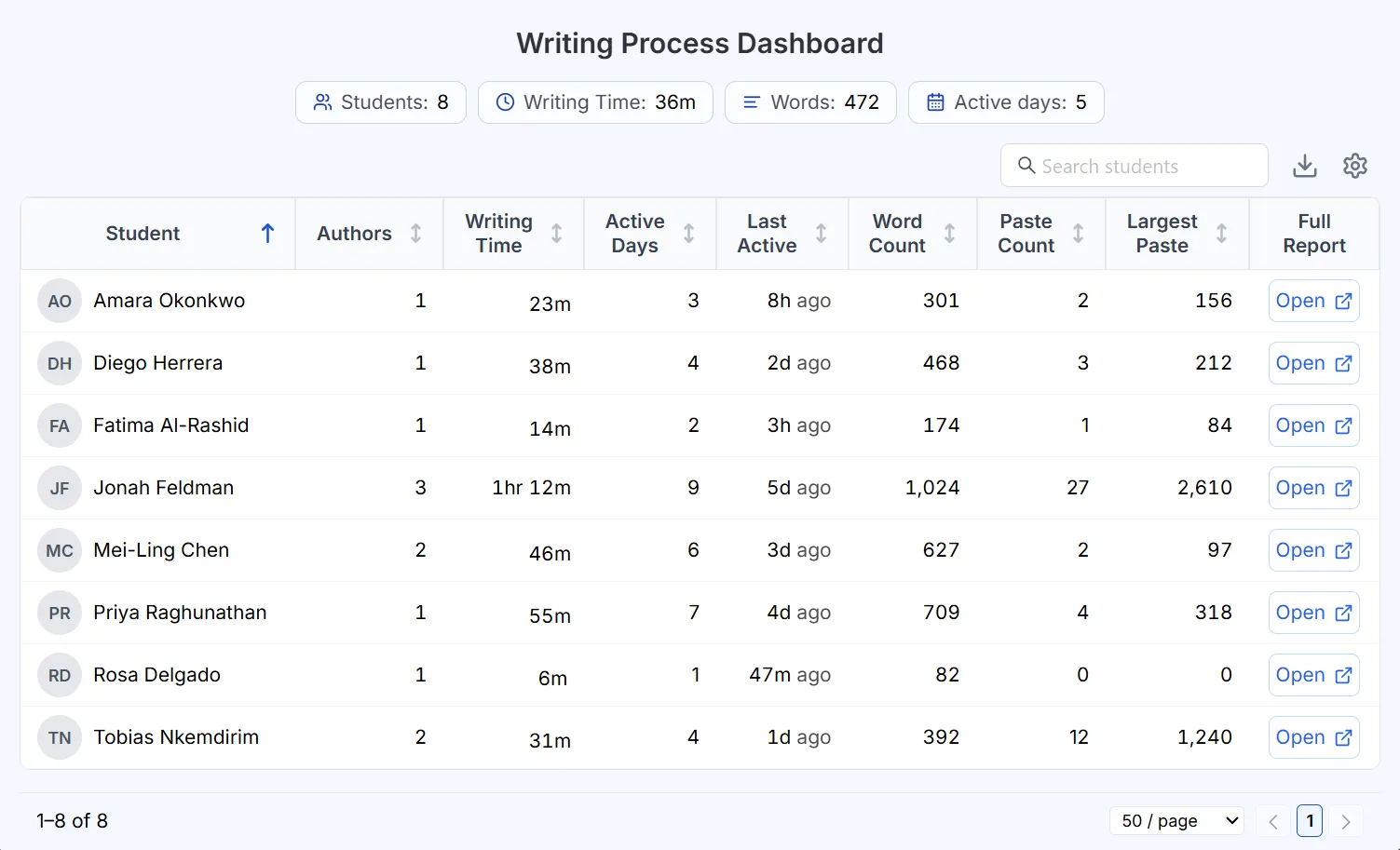
You do not need to watch every student’s writing replay. Instead, use the Teacher Dashboard to see hundreds of students’ writing process summaries in one place. From the dashboard, you can:
- sort students by last edit time, to see who finished first and who finished last;
- sort students by total edit time, to see who spent longer and who finished suspiciously fast.
The dashboard also gives you an instant, bird’s-eye view of your entire classroom. For example, how long students take, on average, to finish a particular assignment.
What is the fastest way to read a student’s writing process report?
“The analytics in the writing process report generated by Process Feedback look powerful. But how can I read a student’s writing process report quickly and efficiently?”
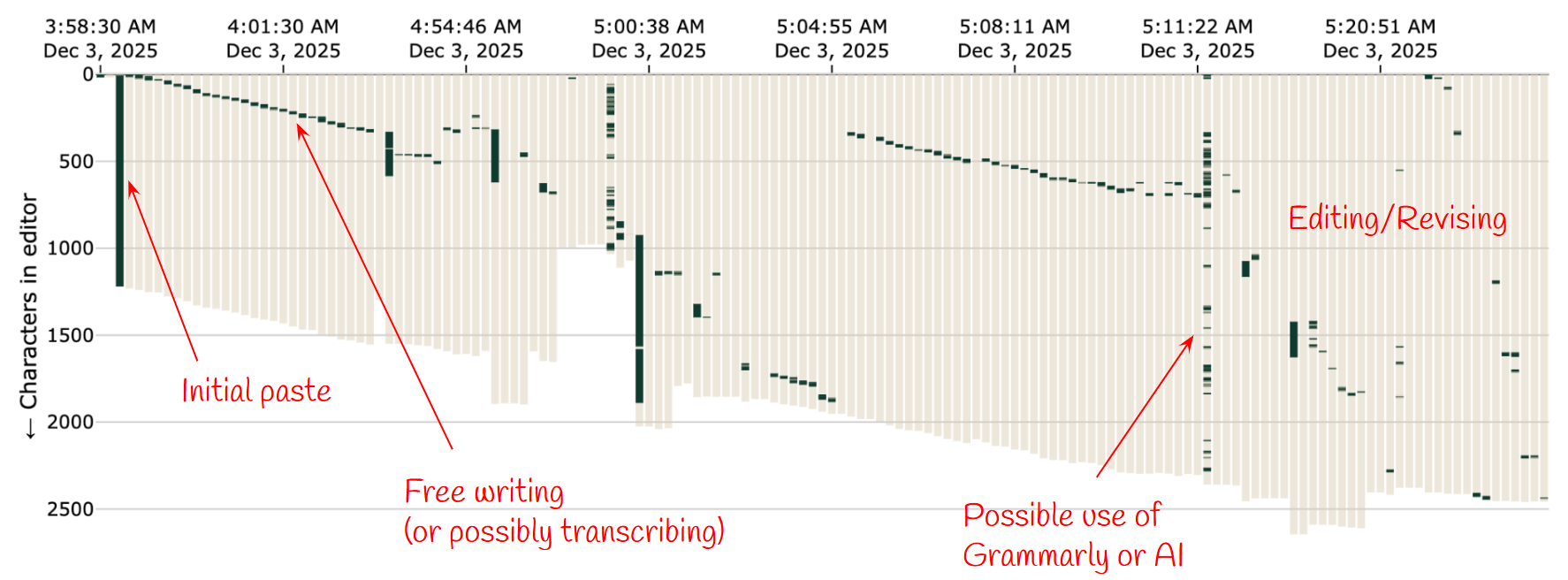
Skip the replay. The Edit Locations in Document chart shows you a student’s entire writing journey in under 10 seconds, once you know how to read it.
The chart shows when and where writing happened:
- when and where in the document each sentence was edited;
- when and where in the document each paragraph was edited;
- when text was drafted versus revised, and how much time went to each.
It also flags activity worth a closer look:
- large copy-paste events;
- possible use of grammar correction tools like Grammarly.
Teachers can spend a little time learning how to read this chart and experimenting with the options it offers. It’s also the quickest way to identify possible AI use in a document.
If Process Feedback is free, how do you make money?
“If Process Feedback is free and doesn’t collect student data, how do you actually make money? I want to trust this before I recommend it to my department.”
This is one of the most frequent questions we receive. Many teachers are sensibly curious about “free” tech tools, and some suspect that we secretly monetize student data. We don’t. We do not collect student data.
Process Feedback is free today, and we plan to keep it free forever for individual teachers and students. We charge institutions for things like signed data privacy agreements (DPAs), LMS integrations (like Canvas or Moodle), and dedicated support. We also offer a free one-term pilot of our tool for institutions.
How do we make AI a teaching tool instead of something we fight?
“Turn AI into a teaching tool, not something you fight”
Let students use Process Feedback’s rubric-based AI feedback feature.
When you create an assignment in Process Feedback, you can specify rubrics. Students can then click the “Rubric-based AI feedback” button on the sidebar to get feedback against those rubrics at any time while they’re working. This solves several fundamental problems in education:
- Feedback is instant and real-time. Feedback is most effective in the moment, not after students have already completed their work.
- The guardrailed AI does not write for them, and they cannot chat with it. It only highlights what they missed. For example, “The prompt asks you to write about cats, but you wrote about dogs.”
- The report shows how they used the feedback. When students turn in their writing process report, it shows whether they used the AI feedback and whether they actually revised their work after receiving it.
You can try the create-assignment feature by reading more about it or by following the step-by-step guide for creating assignments.
Can Process Feedback detect a student transcribing an AI essay word-for-word?
“What if a student generates an essay on their phone using AI and types it out word-for-word into Google Docs? Will Process Feedback detect this transcribing?”
No, Process Feedback’s writing process report does not automatically detect this. However, depending on the context, you can often spot it by looking at revision effort. Most human writing involves pausing, deleting, and stopping to think. There are exceptions, of course, such as creative writing.
If you see a draft typed out linearly in record time, it is an opportunity for a conversation — not an accusation. You might simply ask your student: “Your report shows you typed this through without an edit. Can you share how you planned or drafted this writing?”