How the Moodle plugin works
Four steps, in screenshots, from a student writing in Moodle to a teacher reviewing the class
Step 1. The student writes in Moodle as usual
When a student opens a Moodle assignment or a discussion forum, a See your writing process panel appears above the standard Moodle text editor. As the student types, the plugin records each edit (approximately every 5 seconds) as a timestamped event in a database inside the student's own browser. All writes are local: there are no network requests and no server involvement.
When the student submits the assignment or posts to the forum, their writing process report is automatically submitted along with it.
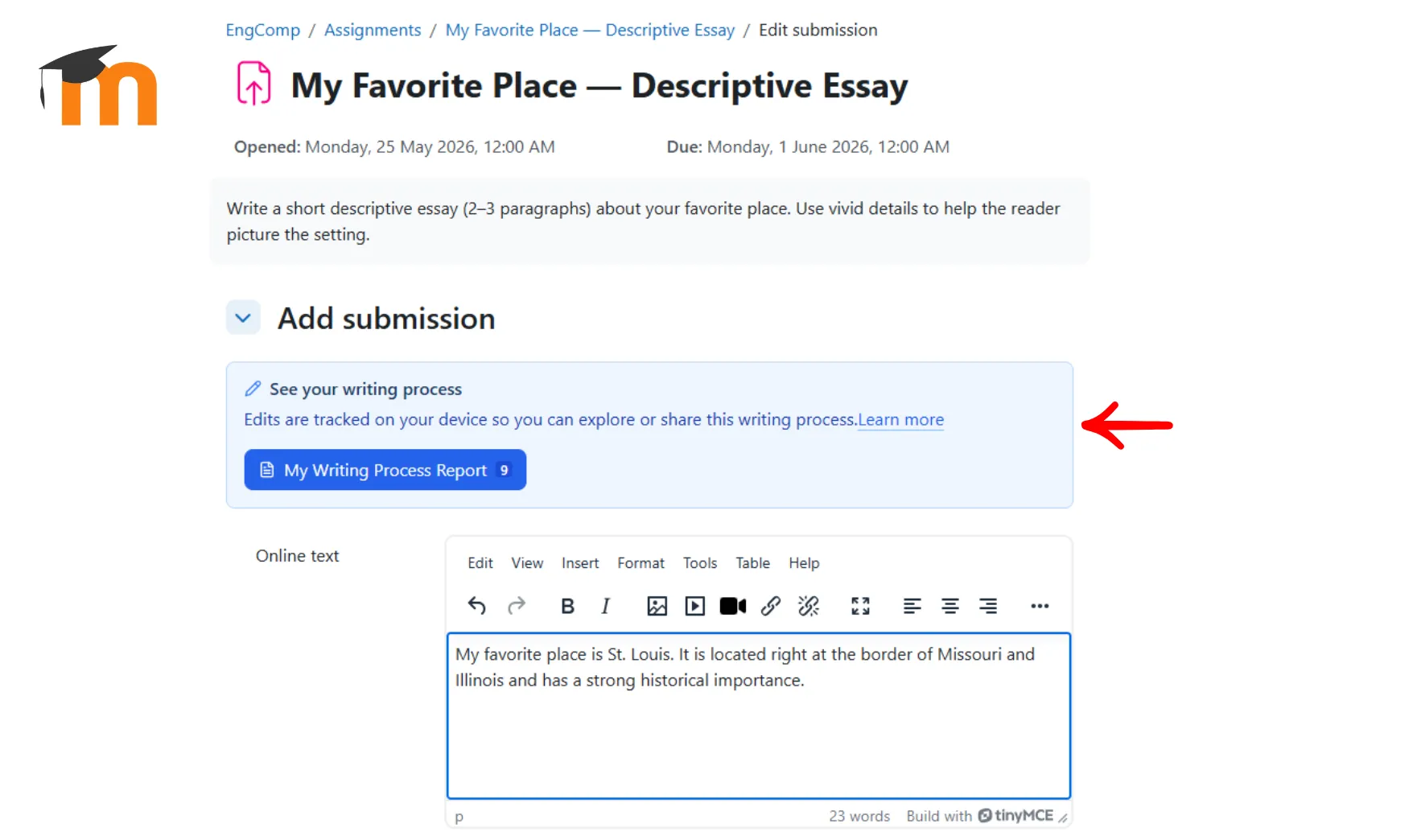
Step 2. The panel stays available after submission
After the student submits, the panel stays on the assignment page, so the My Writing Process Report button is still one click away.
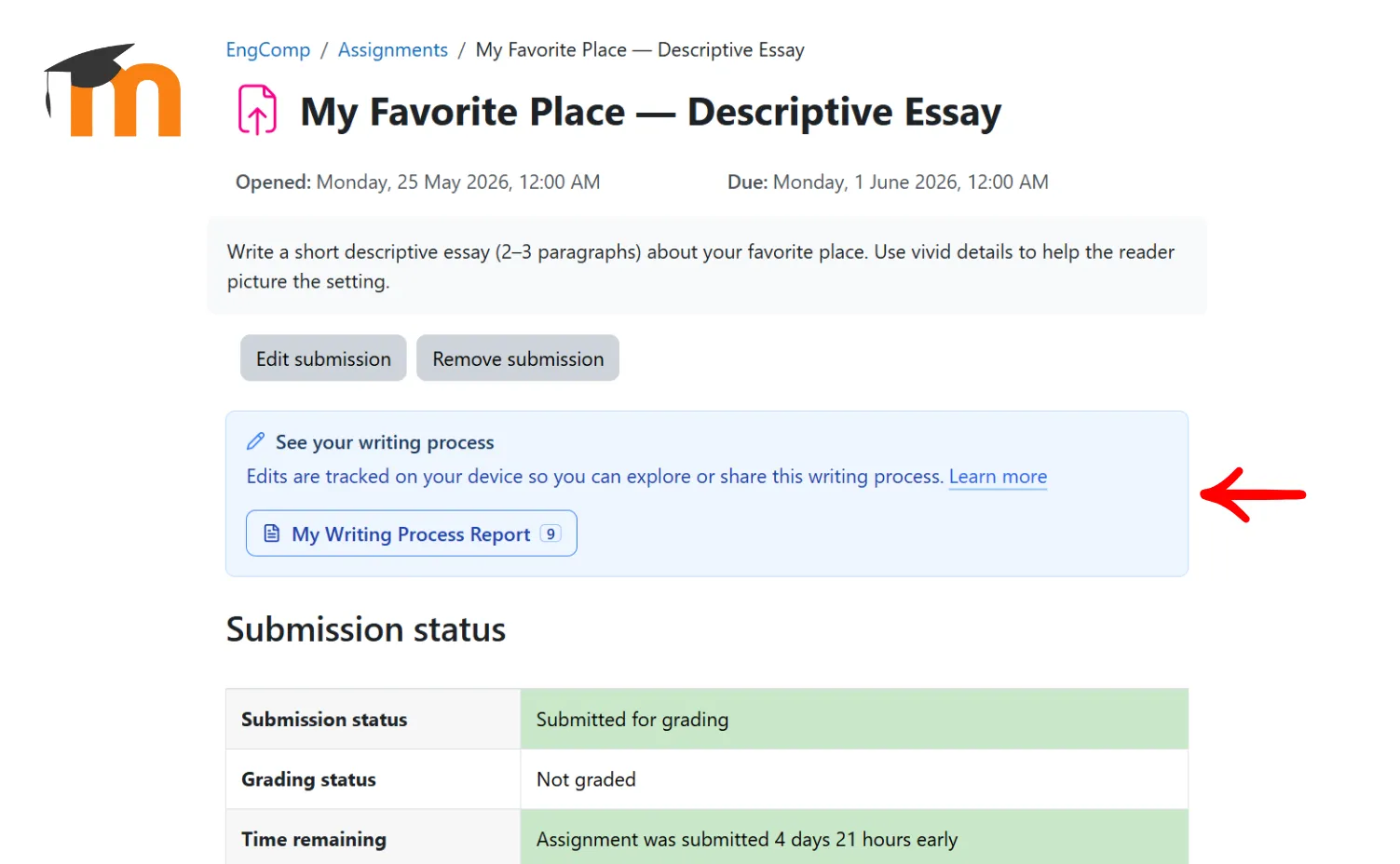
Step 3. Students can view their writing process report at any time
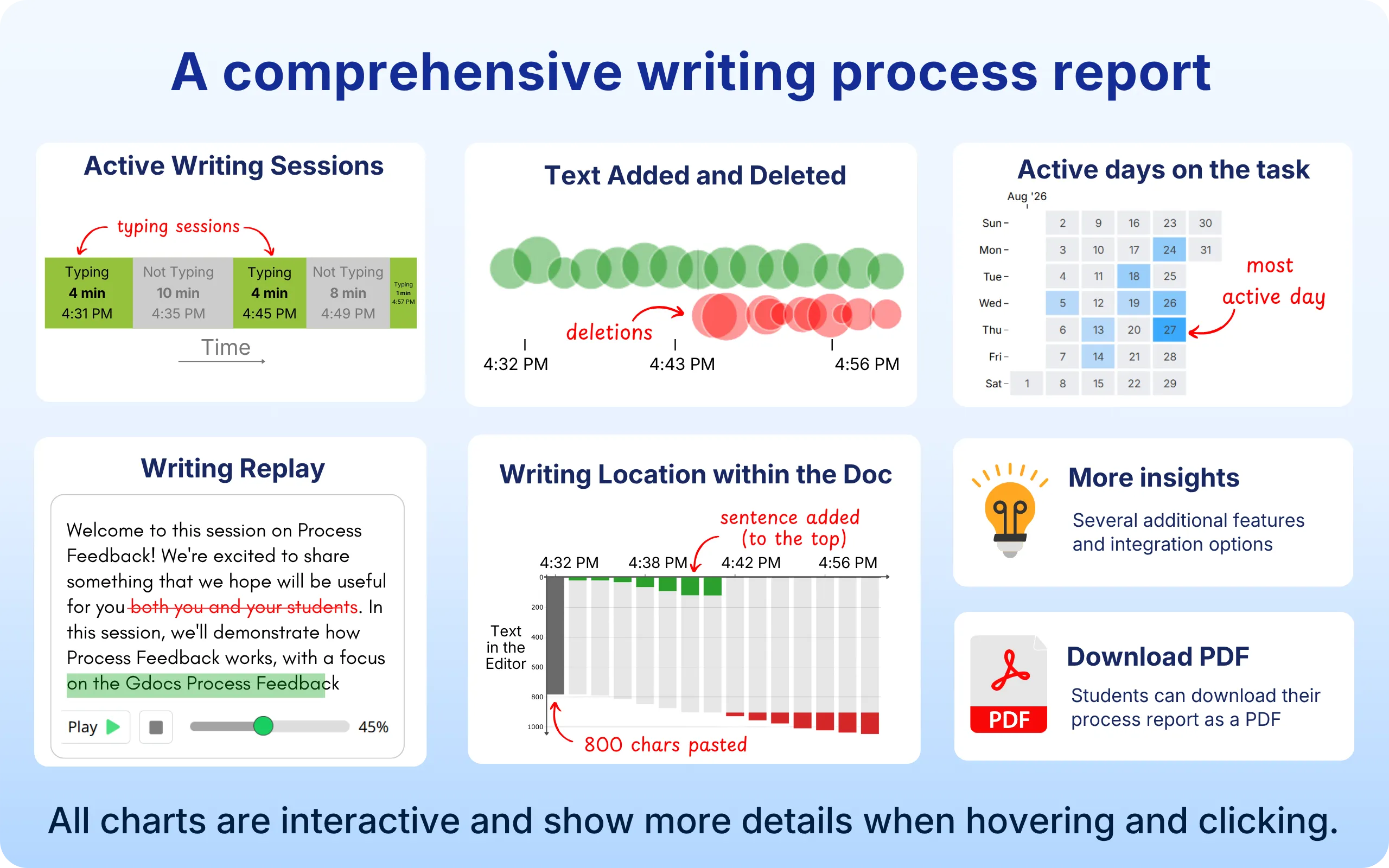
When the student clicks My Writing Process Report, the plugin reads the full edit history from the browser database and generates a writing process report. The student can explore it on their own or choose to share it, for example as a PDF or a ZIP export.
Because the data lives in the browser, clearing browser storage or switching devices removes it, just like any other browser-stored content.
Step 4. Teachers review one report or the whole class
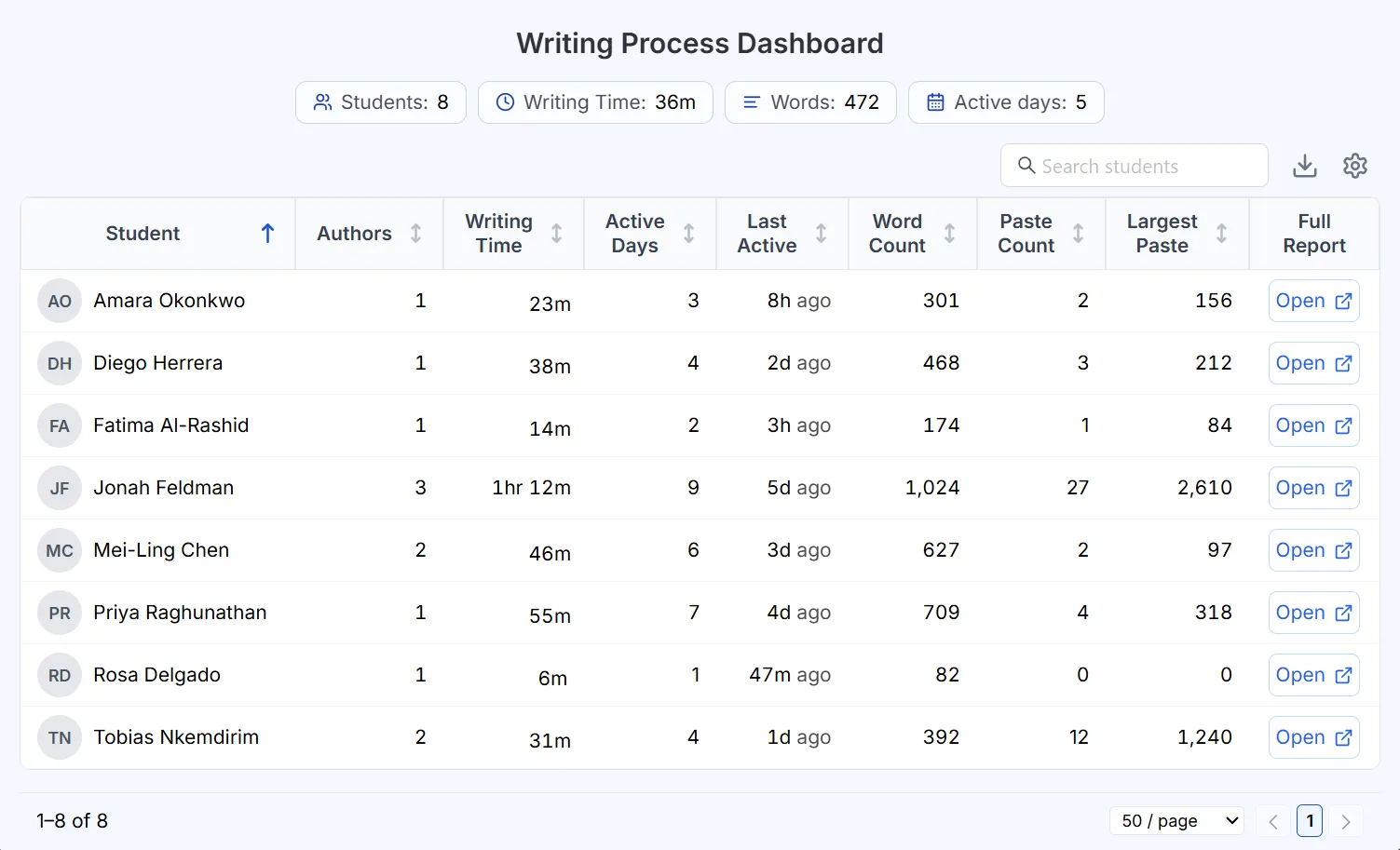
Once students submit their work, teachers can open each student's writing process report individually, or review the whole class at once in the dashboard.
Admin install required
The plugin is installed once by your Moodle administrator and works across all courses immediately. There is no per-course configuration required, and students never need to visit an external site to get started.

Deployment highlights:
-
Single admin install covers all courses and students -
Compatible with standard Moodle hosting environments -
No LTI configuration required -
Support for Data Processing Agreements (DPAs) available upon request
No student setup required
Once your admin installs the plugin, it appears automatically on every Moodle assignment submission page and discussion forum. Students see a See your writing process panel alongside the standard Moodle text editor: no extensions, no accounts, no extra steps.
From a student's perspective:
-
Open a Moodle assignment or discussion forum as usual -
Write in the built-in Moodle text editor -
Click My Writing Process Report to view or share their process
Fully respects student privacy
The plugin is built so that student writing data stays under the control of students and your institution. Writing activity is recorded in each student's own browser, and reports go only where students submit or share them.
The Process Feedback Moodle plugin:
-
Runs entirely in the student's and teacher's browsers -
Does not collect or store any student data on our servers -
Uses a “local-first” architecture, so the data stays on the student's device -
Supports full compliance with privacy laws such as FERPA and GDPR

Contact us for pilot access
Contact us to schedule a demo and learn whether it is a good fit for your institution.