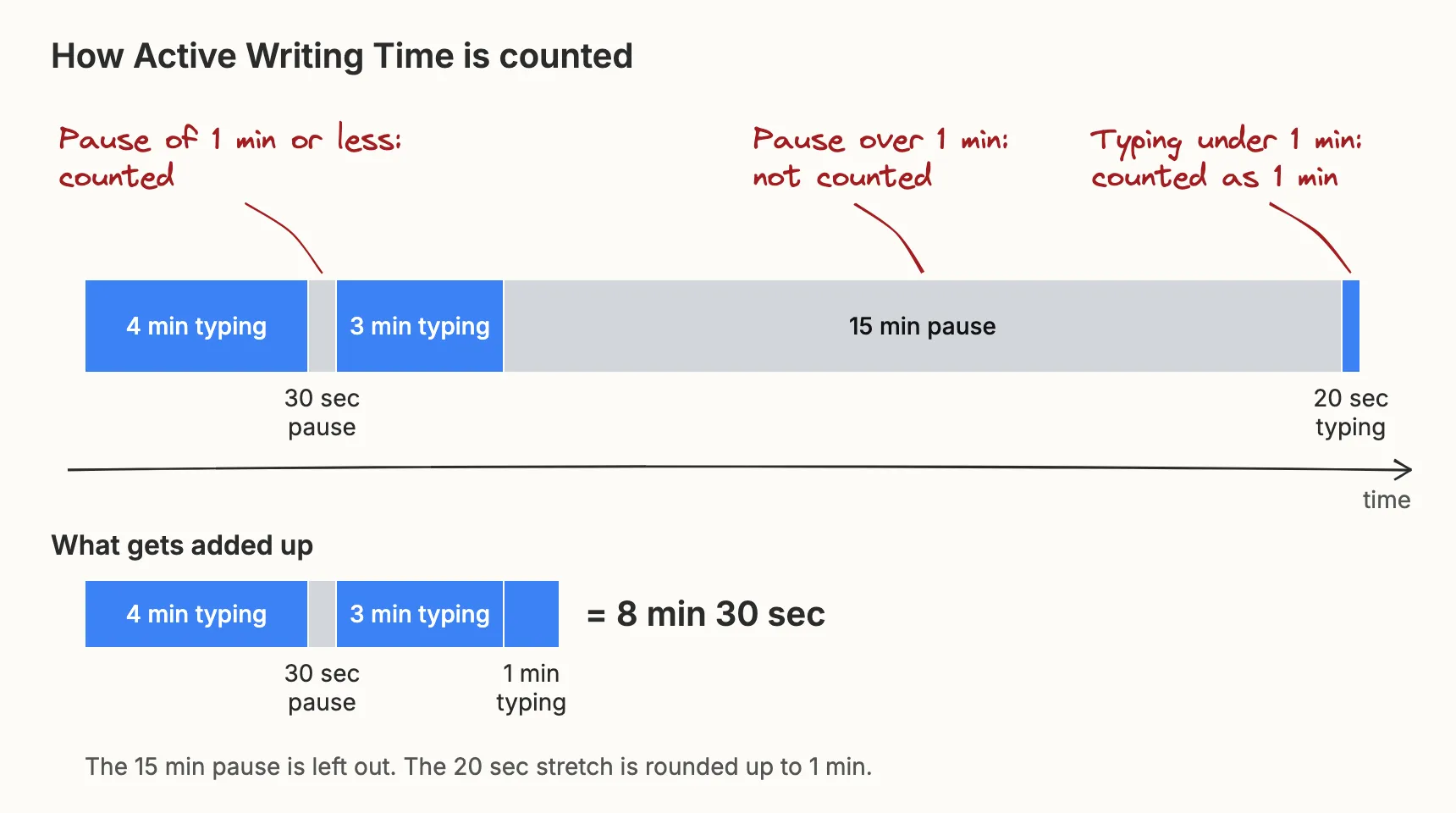
A snapshot is one recorded state of a document at a particular time in its history. For example, a snapshot taken in the middle of the writing may contain only half the document, because that is all the document contained at that time.
A writing process report is built from a sequence of these snapshots. The Writing Replay section of a report lets you step through them one at a time.
One change does not create one snapshot
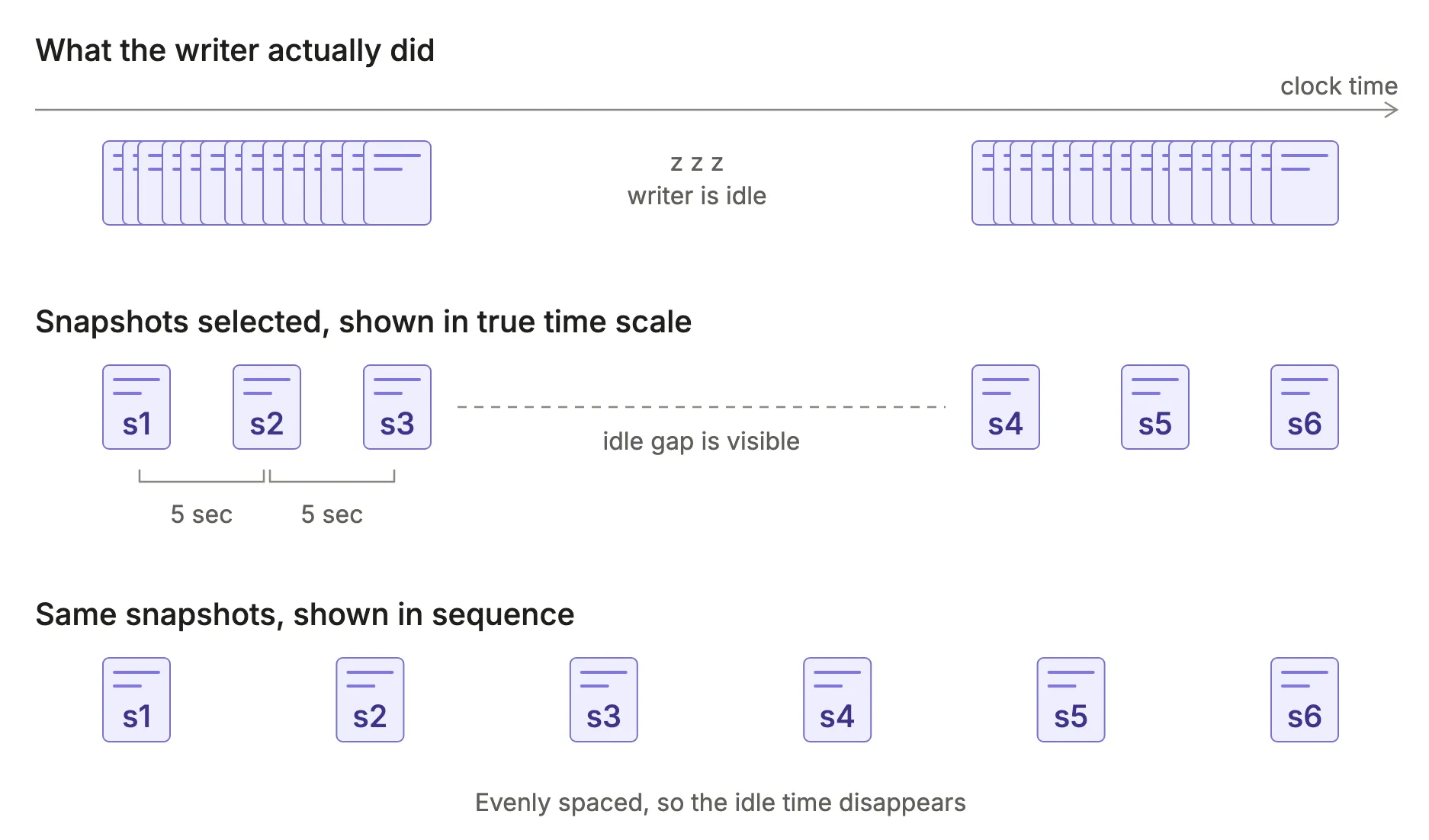
Every key press can update a document, so a document can have tens of thousands of unique snapshots. However, looking at so many changes can be daunting for both you and your device. That’s why we pick snapshots at intervals of at least five seconds.
The number of snapshots has nothing to do with document length
The number of snapshots in a document varies with how much editing happened, not with how long the document is. If you spend 5 hours editing and polishing one paragraph, the number of snapshots can still be large, but the document stays short throughout.
The default maximum is 360 snapshots
By default, a report shows up to 360 snapshots. If the document has more, the report shows only that many, and a red exclamation mark appears next to the chart titles. You can change this number with Points in timeline in Report Options. More snapshots show more detail, but the report takes longer to open.
What about the details between snapshots?
In our applications, we record changes only every five seconds, so that is the finest detail you can see.
Google Docs, however, records changes almost at the character level. We have a separate application for exploring this level of detail. Our advanced explorer lets you play back every character change and even look at the raw changes recorded by Google.