Create a Coding Space
Online compiler for students in your class • Shows coding time, run history, paste events, and more.
No accounts required for students
Works for a single assignment or a full course
Coding process report and PDF export
Designed for reflection and discussion
What is the Process Feedback coding editor?
The Process Feedback online compiler is an online coding space for assignments where the coding process matters. As students write, run, and debug their code, it can generate a "coding process report" that they can review themselves or share with others for reflection, feedback, or discussion. Teachers decide how (or whether) to use the coding process report for feedback, discussion, or assessment.
Use this coding space in your class if you want to:
-
Emphasize debugging, revision, and effort -
Discuss coding habits or AI use openly -
Move conversations away from suspicion and toward learning
When to use the coding editor in a class?
Use the Process Feedback coding editor when you want to introduce coding-process reflection without redesigning your course.
This coding space is commonly used when teachers want to:
-
try a single, low-stakes coding assignment; -
ask students to reflect on how they code, not just what they submit; or -
support conversations about debugging, effort, or AI use in a transparent way.

Why teachers prefer the online compiler
The online compiler is designed to reduce friction for both teachers and students.
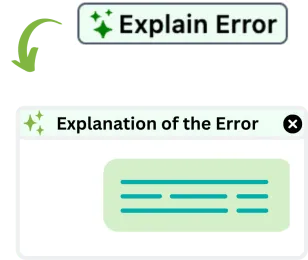
Teachers prefer it because it:
-
runs entirely in the browser, so there is nothing to install; -
requires no student accounts, emails, or logins; -
includes safeguarded AI that explains errors without giving away answers; and -
exports code, outputs, and the coding process as a single PDF.
What students experience
Students write and run code in a clean compiler and can see their own coding process data.
-
No hidden trackers -
No automatic assessments or scores -
AI that explains errors without handing over the answer -
Process data supports reflection and discussion
Best for in-class coding and computer labs
Use the Process Feedback coding editor for in-class coding and lab sessions so students can write, run, and reflect without any setup.
It works well for in-class coding because it:
-
starts instantly with no logins or installs -
keeps code, inputs, and run history in one place -
supports post-coding reflection and discussion
Frequently Asked Questions

See it in action
Review a sample coding space for CS1, or create your own coding space for students in minutes. No account is required for students, and setup is quick for teachers.